71
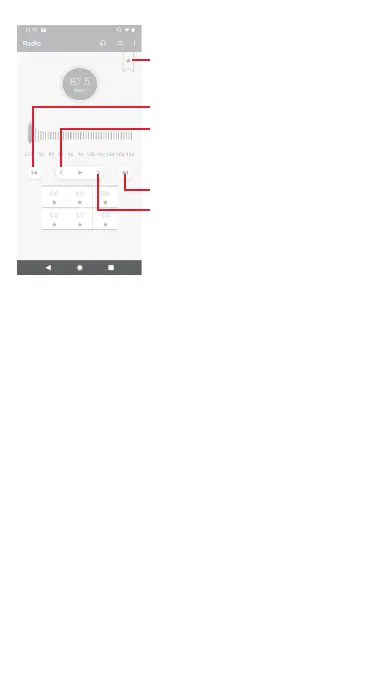
Touch to decrease 0.1MHz
Long press to search and go to the
nearest lower frequency channel
Touch to increase 0.1MHz
Touch to go to previous channel
Touch to add the current station
to favourites or remove it from the
favourites.
Touch to go to next channel
Available options:
• Save channel
Save the channel.
• Scan channels
Scan all channels.
• Delete
Delete the channel.
• Enter frequency
Enter the frequency manually.
• Station info
Mark the checkbox to view the station info.
• Exit
Turn off the radio and exit radio application.



 To Next Page