3.Quick Start
Control Area
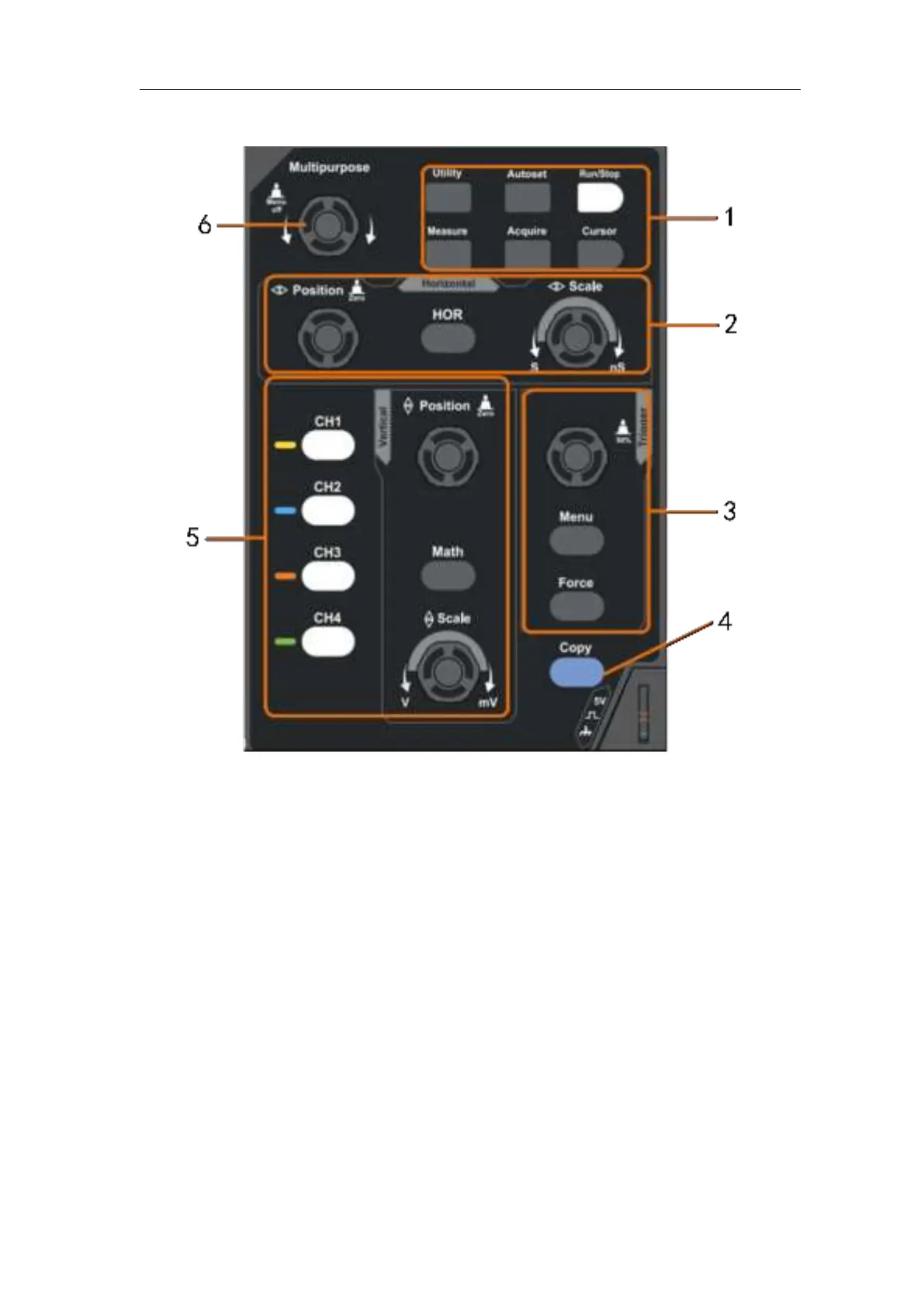
Figure 3- 3 Control Area Overview
1. Function button area: Total 6 buttons.
2. Horizontal control area with 1 button and 2 knobs.
"HOR" button refer to horizontal system setting menu, "Horizontal Position"
knob control trigger position, " Horizontal Scale" control time base.
3. Trigger control area with 2 buttons and 1 knob.
The Trigger Level knob is to adjust trigger voltage. Other 2 buttons refer to
trigger system setting.
4. Copy button: This button is the shortcut for Save function in the Utility function
menu. Pressing this button is equal to the Save option in the Save menu. The
waveform, configure or the display screen could be saved according to the
chosen type in the Save menu.
5. Vertical control area with 5 buttons and 2 knobs.
CH1 - CH4 buttons correspond to setting menu in CH1 - CH4. "Math" button
provides access to math waveform functions (+, -, ×, /, FFT). The "Vertical
Position" knob control the vertical position of current channel, and the












 To Next Page