d) Setting the time
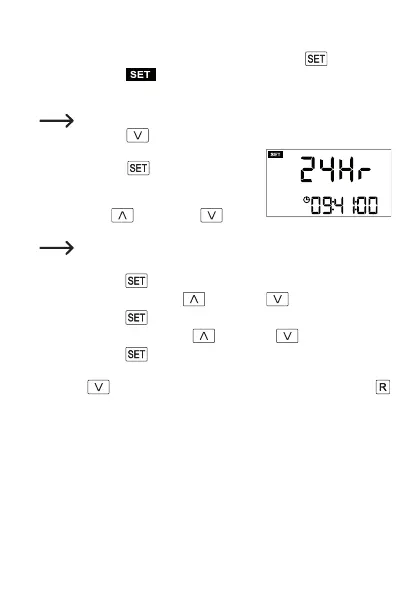
• As already outlined in Chapter 8. c, press and hold the button (3) for
3 seconds until appears in the upper left area of the display (only
in “CURRENT” mode, see Chapter 8. a). The current time mode (“12Hr” or
“24Hr”) is displayed in the upper display row.
Toswitchtothenextsetting(electricitytariff)(seeChapter8.e),briey
press the button (7).
• To switch between time modes (12h or 24h),
brieypress the
button (3); “12” or “24”
ashesonthedisplay.
• Switch between12h and24h mode bybriey
pressing the
button (6) or button
(7).
When using 12h mode, “PM” appears to the right of the time during the
second half of the day.
• Brieypressthe
(3)button;thehoursashonthedisplay.
• Set the hours by pressing the
button (6) or button (7).
• Brieypressthe
(3)button;theminutesashonthedisplay.
• Set the minutes by pressing the
button (6) or button (7).
• Brieypressthe
button(3);allindicatorsstopashing.
Ifno indicator isashing,you can jumptothe next settingby briey press-
ing the
(7) button or exit thesetup menuby briey pressing the
button (2).
52







 To Next Page