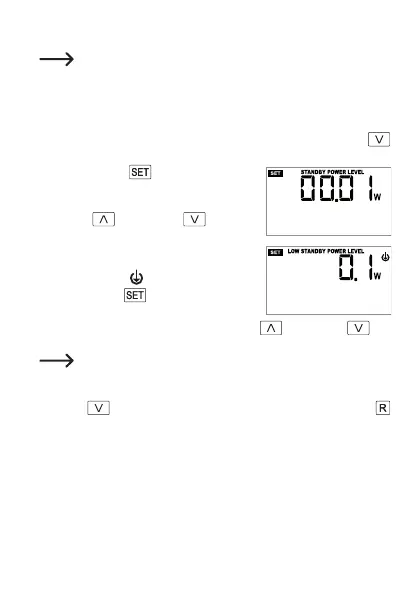
f) Setting the standby and low standby limit value
Two different limit values for standby power consumption can be set.
With some devices, the normal standby power consumption falls to an
even lower value after a certain period of time.
• If you have set the electricity tariff (see Chapter 8. e) before setting the standby
limit values, you can proceed directly to the next step.
Otherwise, setup mode must be started, see Chapter 8. c). Press the
button (7) twice to go to setting of the standby limit value, see the next step.
• Briey pressthe
button (3); “STANDBY
POWERLEVEL”ashesatthetopofthedis-
play.
• Use the
button (6) or button (7)
to switch between the standby limit value
(“STANDBY POWER LEVEL”) and the low
standby limit value (“LOW STANDBY POWER
LEVEL” = symbol ).
• Brieypressthe
button (3), the limit value
forpowerconsumptionashes.
• Change therespectiveashingvaluewiththe
button (6) or but-
ton (7).
For the limit value “LOW STANDBY POWER LEVEL”, set a lower limit
value than for “STANDBY POWER LEVEL”.
• If noindicator is ashing,you canjump to thenextsetting by brieypress-
ing the
(7) button or exit thesetup menuby briey pressing the
button (2).
54







 To Next Page