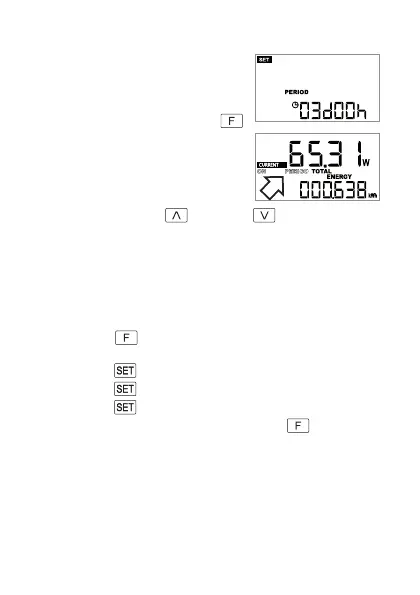
b) Starting the measurement process
• Start by setting the time period, see Chapter
10. a). In the example to the right, a time period
of 3 days has been set.
• When no indicatorisashing,startthemeas-
urementprocessbybrieypressingthe
button (4).
• The display switches back to the measured
values. During the automatic measurement
process,“PERIOD”ashesonthedisplay,see
thearrowintheguretotheright.
• You can, as usual, use the
button (6) or button (7) for more in-
formation.
c) Starting the measurement process again with the same
time period
To start another measurement process with the same, previously set time period,
proceed as follows:
• Brieypressthe
button (4). “PERIOD” and the currently set time period
for the measurement process appear on the display.
• Brieypressthe
button(3),thedayashes.
• Brieypressthe
button(3),thehoursash.
• Brieypressthe
button(3),setupmodeisended,noindicatorashes.
• Start themeasurementprocessby brieypressingthe
button (4) (see
also Chapter 10. b).
63







 To Next Page