16
9. Communication
The inverter is equipped with several communication ports and it is also equipped with a
slot for alternative communication interfaces in order to communicate with a PC with
corresponding software. This intelligent slot is suitable to install with SNMP card and
Modbus card. Follow below procedure to connect communication wiring and install the
software.
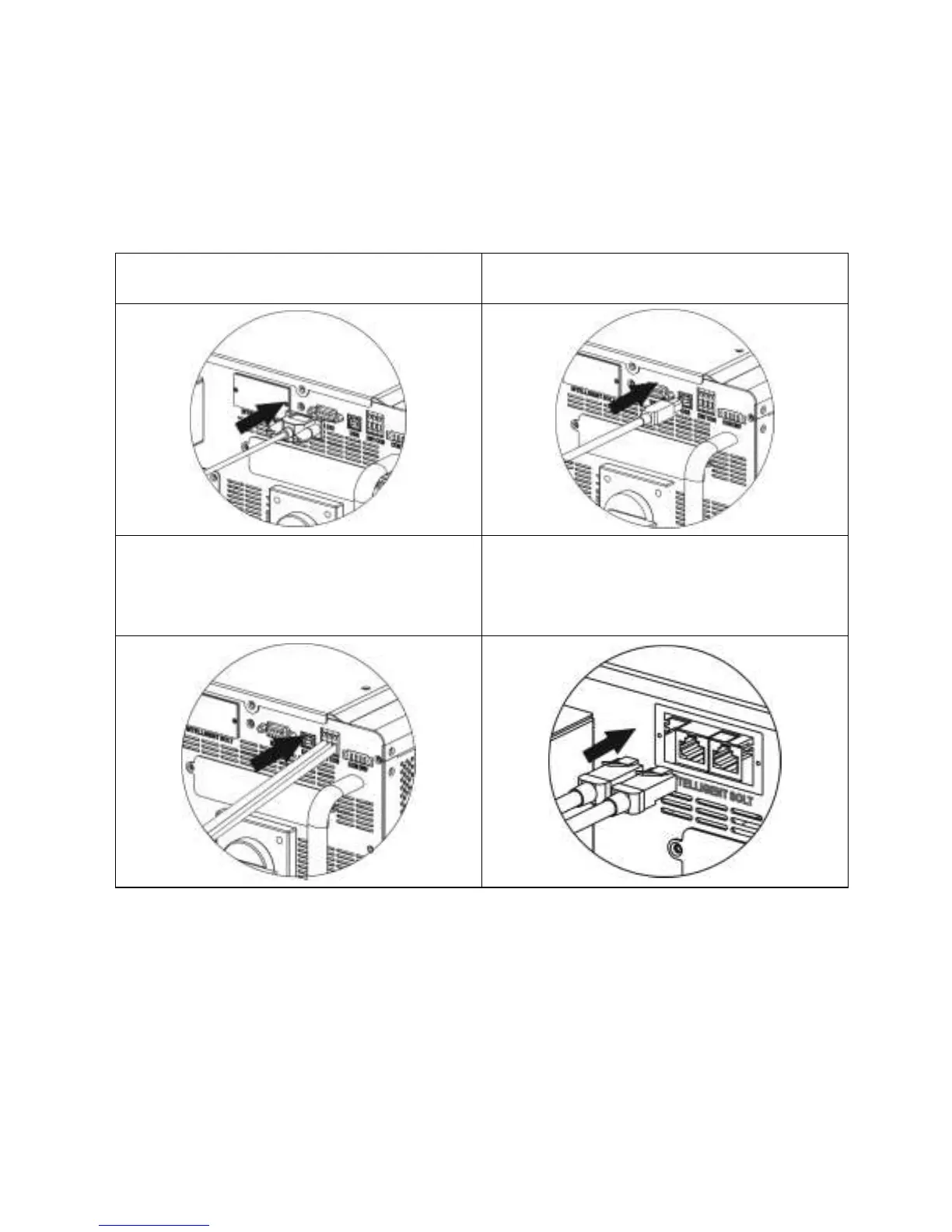
For RS232 port, you should use a DB9
cable as follows:
For USB port, you should use a USB cable
as follows:
For Dry contact port, please remove
insulation sleeve 8 mm for three
conductors and insert three cables into
ports
For SNMP or MODBUS card, you should
use RJ45 cables as follows:
Please install monitoring software in your computer. Detailed information is listed in the
next chapter. After software is installed, you may initial the monitoring software and
extract data through communication port.


 To Next Page