If it’s in query menu, press this button
to jump to next selection or decrease
value.
NOTE: If backlight shuts off, you may activate it by pressing any button. When an error
occurs, the buzzer will continuously sound. You may press any button to mute it.
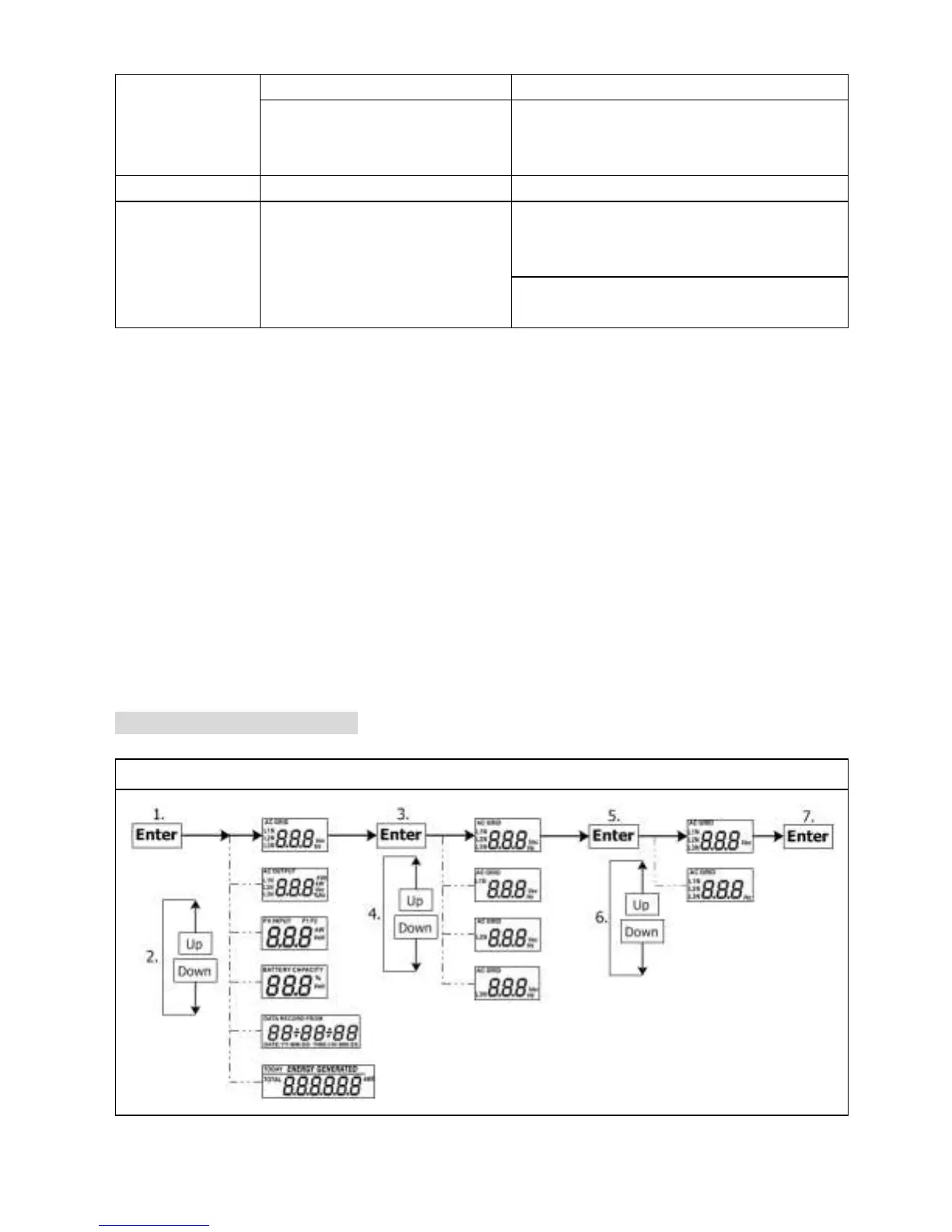
15-4. Query Menu Operation
The display shows current contents that have been set. The displayed contents can be
changed in query menu via button operation. Press ‘Enter’ button to enter query menu.
There are seven query selections:
Input voltage or frequency of AC input.
Frequency, voltage, power or load percentage of AC output.
Input voltage or power of PV input.
Battery voltage or capability percentage.
Date and time.
Today or total energy generated.
Mode of query energy generated.
Setting Display Procedure
Input voltage or frequency of AC input


 To Next Page