EasyManua.ls Logo

Voltronic Power 3KVA - User Manual

Voltronic Power 3KVA
33 pages
Print Icon
To Next Page IconTo Next Page
Loading...
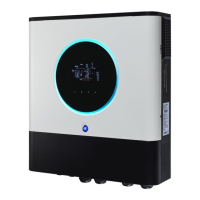
3KVA-5KVA (PF 1)
INVERTER / CHARGER
Version: 1.5
User Manual

Questions and Answers

Summary

About This Manual

Purpose

Describes the assembly, installation, operation, and troubleshooting of the unit.

Scope

Provides safety and installation guidelines, plus tool and wiring information.

Safety Instructions

Introduction

Features

Lists key features of the multi-function inverter/charger.

Basic System Architecture

Illustrates the basic application and components of a running system.

Product Overview

Installation

Unpacking and Inspection

Details how to inspect the unit and its package contents after delivery.

Preparation

Instructions for preparing the unit before wiring.

Mounting the Unit

Provides guidelines for selecting an appropriate installation location and method.

Final Assembly

Instructions for re-attaching the bottom cover after wiring.

Communication Connection

Details how to connect the unit to a PC for monitoring software.

Battery Connection

Recommended battery cable size

Specifies the recommended wire size and torque for battery connection.

AC Input;Output Connection

Suggested cable requirements for AC wires

Recommends cable gauge and torque for AC input/output connections.

PV Connection

PV Module Selection

Guidance on selecting PV modules based on voltage and power parameters.

PV Module Wire Connection

Step-by-step guide for connecting PV module wires.

Operation

Power ON;OFF

Explains how to turn the unit on and off using the switch.

Operation and Display Panel

Describes the front panel components including indicators, keys, and display.

LCD Display Icons

Input Source Information

Explains icons related to AC and PV input sources.

Configuration Program and Fault Information

Describes icons for setting programs, warnings, and fault codes.

Output Information

Explains icons related to output voltage, frequency, and load.

Battery Information

Explains icons and LCD display for battery status and charging.

LCD Setting

Setting Programs: 00 - Exit setting mode

How to exit the setting mode.

Setting Programs: 01 - Output source priority

Configures the priority for load power sources (Utility, Solar, SBU).

Setting Programs: 02 - Maximum charging current

Sets the total charging current for solar and utility chargers.

Setting Programs: 03 - AC input voltage range

Configures the acceptable AC input voltage range.

Setting Programs: 05 - Battery type

Selects the battery type (AGM, Flooded, User-Defined).

Setting Programs: 06 - Auto restart when overload occurs

Configures auto-restart behavior after an overload condition.

Setting Programs: 07 - Auto restart when over temperature occurs

Configures auto-restart behavior after an over-temperature condition.

Setting Programs: 09 - Output frequency

Sets the output frequency (50Hz or 60Hz).

Setting Programs: 10 - Output voltage

Sets the output voltage (220V, 230V, 240V).

Setting Programs: 11 - Maximum utility charging current

Sets the maximum charging current from the utility.

Setting Programs: 12 - Setting voltage point back to utility source

Configures the voltage point to switch back to utility in SBU priority.

Setting Programs: 13 - Setting voltage point back to battery mode

Configures the voltage point to switch back to battery mode in SBU priority.

Setting Programs: 16 - Charger source priority

Defines the priority for charging sources (Utility, Solar, or both).

Setting Programs: 18 - Alarm control

Controls whether alarms are turned on or off.

Setting Programs: 19 - Auto return to default display screen

Configures automatic return to the default display screen.

Setting Programs: 20 - Backlight control

Controls the LCD backlight (on or off).

Setting Programs: 22 - Beeps while primary source is interrupted

Configures audible alerts when the primary source is interrupted.

Setting Programs: 23 - Overload bypass

Enables or disables bypassing to line mode during overload in battery mode.

Setting Programs: 25 - Record Fault code

Enables or disables recording of fault codes.

Setting Programs: 26 - Bulk charging voltage (C.V voltage)

Sets the bulk charging voltage for batteries.

Setting Programs: 27 - Floating charging voltage

Sets the floating charging voltage for batteries.

Setting Programs: 29 - Low DC cut-off voltage

Sets the voltage at which the inverter shuts down due to low DC power.

Setting Programs: 30 - Battery equalization

Enables or disables battery equalization.

Setting Programs: 31 - Battery equalization voltage

Sets the target voltage for battery equalization.

Setting Programs: 33 - Battery equalized time

Sets the duration for the battery equalization stage.

Setting Programs: 34 - Battery equalized timeout

Sets the timeout for battery equalization if voltage is not reached.

Setting Programs: 35 - Equalization interval

Sets the frequency or interval for automatic battery equalization.

Setting Programs: 36 - Equalization activated immediately

Allows immediate activation of battery equalization.

Display Setting

Input voltage;Output voltage (Default Display Screen)

Shows how input and output voltages are displayed by default.

Input frequency

Shows how input frequency is displayed on the LCD.

PV voltage

Shows how PV voltage is displayed on the LCD.

PV current

Shows how PV current is displayed on the LCD.

PV power

Shows how PV power is displayed on the LCD.

Charging current

Shows how charging current (AC/PV) is displayed on the LCD.

Charging power

Shows how charging power (AC/PV) is displayed on the LCD.

Battery voltage and output voltage

Shows how battery and output voltages are displayed.

Output frequency

Shows how output frequency is displayed on the LCD.

Load percentage

Shows how load percentage is displayed on the LCD.

Load in VA

Shows how load in VA is displayed on the LCD.

Load in Watt

Shows how load in Watt is displayed on the LCD.

Battery voltage;DC discharging current

Shows battery voltage and DC discharging current.

Main CPU version checking

Displays the main CPU version for checking.

Operation Mode Description

Standby mode

Describes the inverter's standby mode operation and charging capabilities.

Fault mode

Explains fault conditions and causes like errors or over-temperature.

Line Mode

Describes operation when connected to the mains and battery charging.

Battery Mode

Describes operation when powered by battery and PV.

Battery Equalization Description

How to Apply Equalization Function

Details how to enable and use the battery equalization function.

When to Equalize

Explains when the equalization stage is entered based on settings.

Fault Reference Code

Warning Indicator

Clearance and Maintenance for Anti-Dust Kit

Overview

Describes the function of the anti-dust kit and its benefits.

Clearance and Maintenance

Provides step-by-step instructions for cleaning the anti-dust kit.

Specifications

Table 1 Line Mode Specifications

Details specifications for the inverter's Line Mode operation.

Table 2 Inverter Mode Specifications

Details specifications for the inverter's Inverter Mode operation.

Table 3 Charge Mode Specifications

Details specifications for the inverter's charging modes.

Table 4 General Specifications

Lists general specifications like certification, temperature, and dimensions.

Trouble Shooting

Appendix: Approximate Back-up Time Table

Voltronic Power 3KVA Specifications

General IconGeneral
ModelVoltronic Power 3KVA
Rated Power3000VA / 2400W
Input Voltage230 VAC
Surge Power6000VA
WaveformPure sine wave
Battery Voltage24 VDC
Maximum Charge Current80A
CoolingFan Cooling
Input Voltage Range90-280VAC
Frequency Range50 Hz / 60 Hz (Auto sensing)
Transfer Time10ms
Transfer Time (Home Appliances)20ms
Operating Temperature Range0°C to 40°C
Storage Temperature-15°C to 50°C
Humidity5% to 95% (Non-condensing)
ProtectionsOverload, Short Circuit

Related product manuals