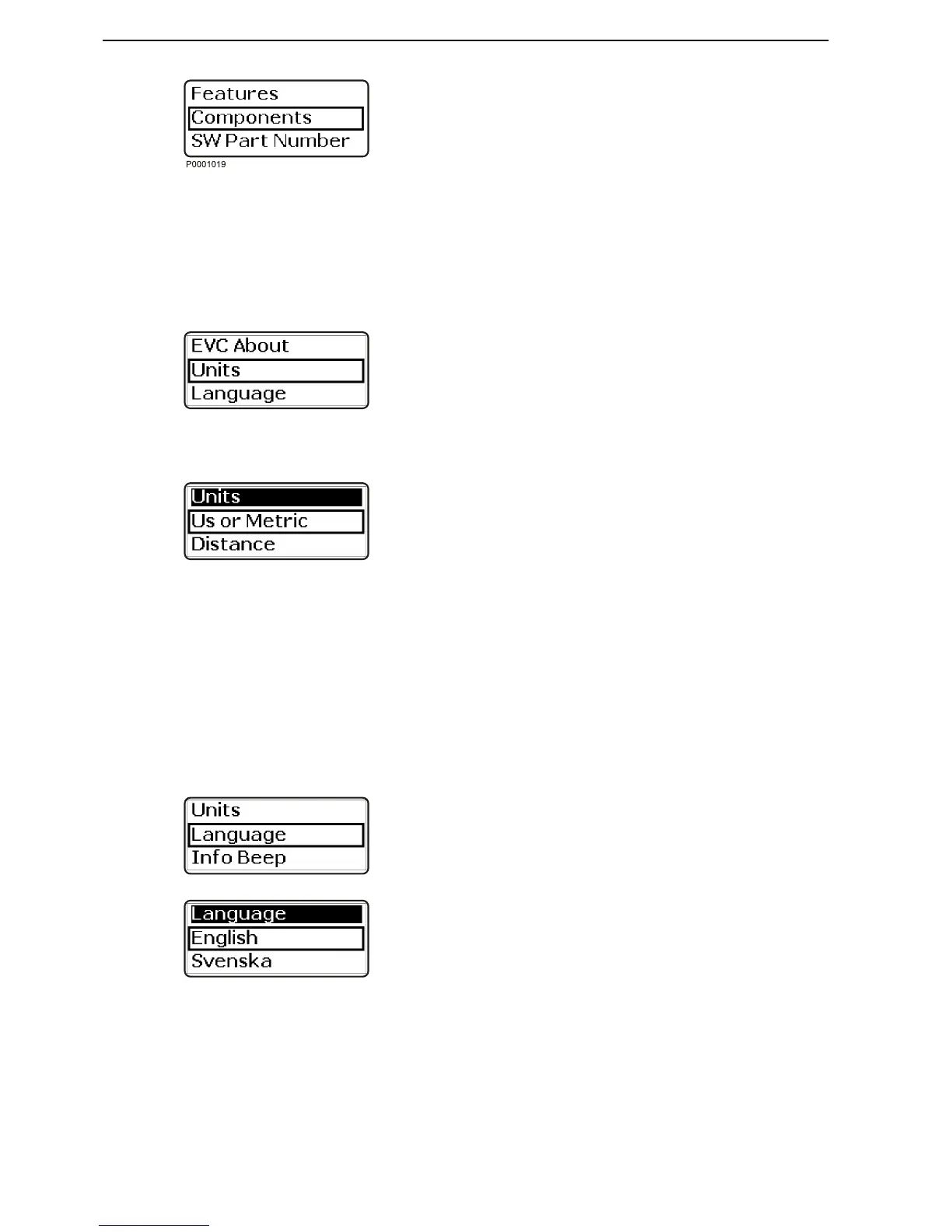
2 Features shows what accessories are installed.
Press the wheel to access the submenu.
3 Components shows what hardware components
are installed. Press the wheel to access the sub-
menu.
4 Software shows what software is installed. Press
the wheel to access the submenu.
Units
Setting operating information and trip data units.
1 Activate the station.
2 Turn until Units is shown in the settings menu.
Press to reach the units menu.
3 Turn to US or Metric; press the wheel and select
US or Metric.
Press the wheel to confirm the selection.
4 Turn to Distance; press the wheel and select km,
Nm (nautical miles) or Miles.
Press the wheel to confirm the selection.
Language
It is possible to select between 10 languages.
On boats with more than one station and with several
displays language only need to be selected on one
display for it to be shown at all stations and on all dis-
plays.
1 Activate the station.
2 Turn until Language is shown in the settings menu.
Press to reach the language menu.
3 Turn to the desired language and press to confirm
the selection. The display will return to the settings
menu.




 To Next Page