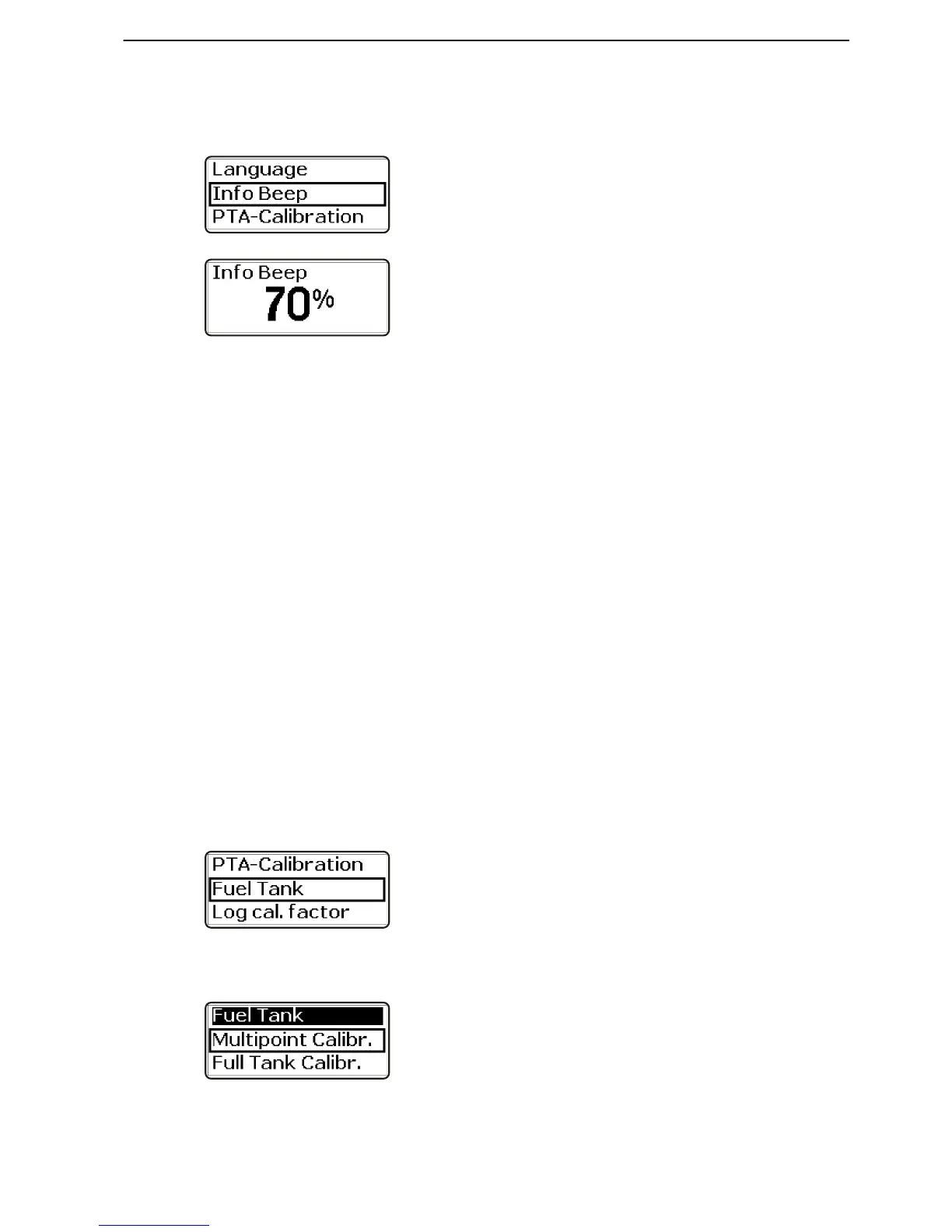
Information Beep
Adjusting the volume of the integral tachometer alarm.
1 Turn until Info Beep is shown in the settings menu.
Press to access adjustment.
2 Turn to the desired volume. Press to confirm the
selection; the setting will be confirmed by a beep at
the set volume. The display will return to the set-
tings menu.
Fuel Tank
There are two alternative methods for calibrating the
level sensor in the fuel tank. Full Fuel Tank Calibra-
tion is an approximate method, while Fuel Multipoint
Calibration provides more precise results. Multi-point
calibration is a prerequisite if the trip computer is to
show fully accurate information.
Fuel Multipoint Calibration
In order for multi-point calibration to be carried out, the
fuel tank may not be filled to more than 20% of its total
capacity.
Calibration is carried out in 5 steps.
POS 1, 20% full tank
POS 2, 40% full tank
POS 3, 60% full tank
POS 4, 80% full tank
POS 5, 100% full tank
1 Activate the station.
2 Turn to Fuel Tank in the settings menu and press
to access the calibration menu.
3 Turn to Multipoint Calibr. and press the wheel.











 To Next Page