VONETS——VAR11N 150M Mini WIFI Router
11
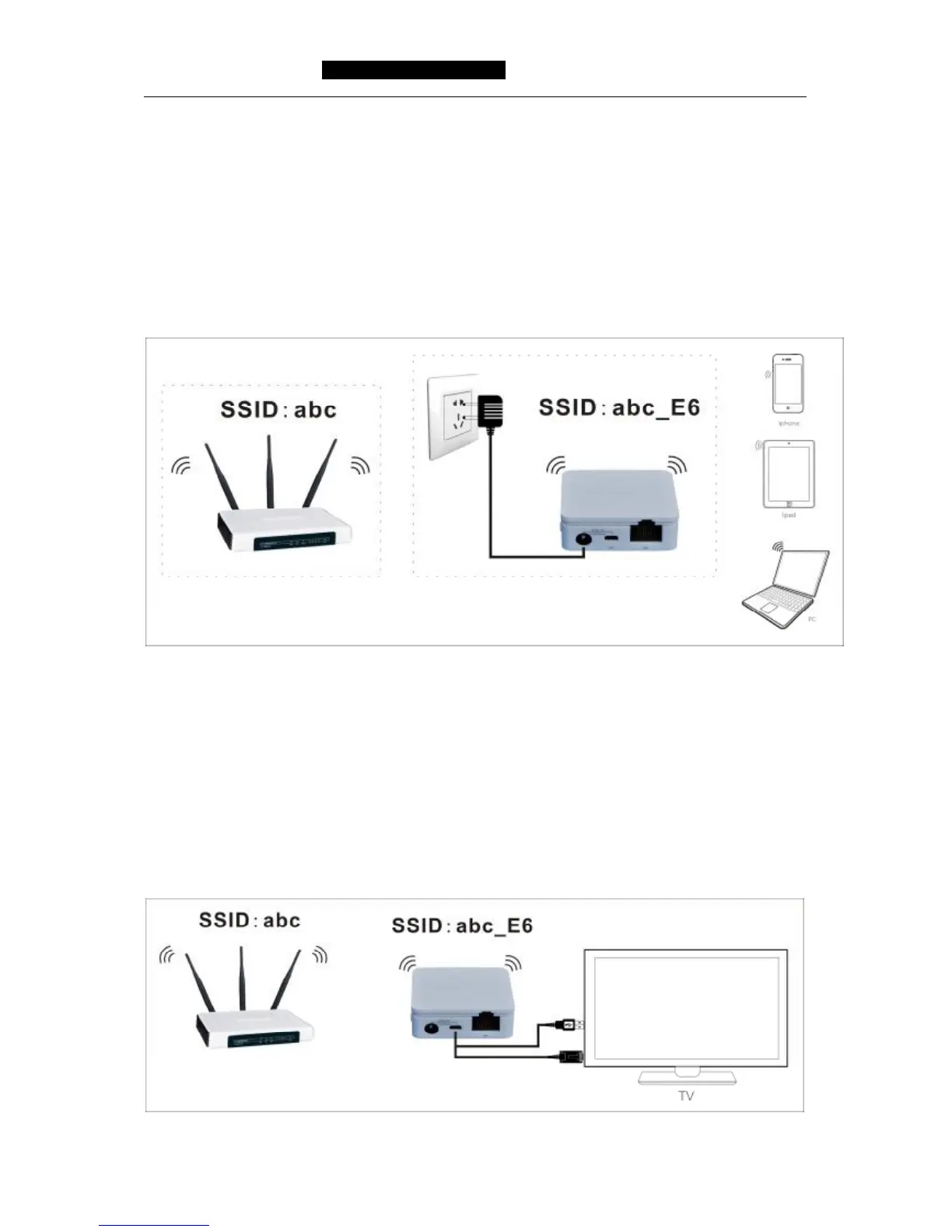
Picture 3-3 Repeater hotel Mode Connection diagram
Bridge Mode (Bridge with AP)
Bridge mode is similar with Repeater mode, is used for expanding the WIFI signal
coverage of AP or WIFI router. To avoid the IP address conflict with the WIFI router,
the IP address of VAR11N LAN port should be changed to different IP address of WIFI
router. In this mode, VAR11N DHCP server is closed, if you need login the webpage of
VAR11N, you should configure the computer IP address in the same segment of WIFI
router manually. Please see the following connection diagram of this mode:
Picture 3-4 Bridge with AP Mode Connection diagram
Client Mode (Client)
The client mode is similar with wireless network card, it is used for connecting WIFI hot
spot signal or WIFI router, can make the devices without wireless function to join WIFI
network. To avoid IP address conflict with WIFI router, the IP address of LAN port
should be changed to the different IP address from WIFI router. In this mode,
VAR11N DHCP server is closed, if you need login the webpage of VAR11N, you should
configure the computer IP address in the same segment of WIFI router manually.
Please see the following connection diagram of this mode:
Picture 3-5 Client Mode Connection diagram



 To Next Page