VONETS——VAR11N 150M Mini WIFI Router
26
Basic settings can enable and use the wireless network function and formation the
internal wireless network. Formation of networks within the network hosts need a
wireless card to connect to a wireless network, but the wireless network is not secure,
it is recommended that after the completion of the basic settings for the wireless
security settings.
Ø WIFI Network: This function can enable and disable WIFI Network, the default is
Enable
Ø Network Name(SSID): Namely Service Set Identification, used for identify the
wireless network name. You can input what you like, it will display the WIFI
network lists searched by Wirless card.
Ø Hidden: This function doesn’t allow the VAR11N WIFI router SSID to display in
the WIFI network lists searched by Wirless card.
Ø Network Mode: Select a mode based on wireless client mode
11b mode: If your wireless network just exists 11b mode client, choose this mode.
11g mode: If your wireless network just exists 11g mode client, choose this mode
11n mode: If your wireless network just exists 11n mode client, choose this mode
11b/g mixture mode: If your wireless network exists 11g or 11g mode client,
choose this mode.
11b/g/n mixture mode: If your wireless network exists 11b, 11g, 11n mode client,
choose this mode.
Ø Channel: The channels used by the device currently, effective working channel can
be selected from the drop-down list, the option is from 1-14.
Ø MAC address: The MAC address of this WIFI router, used to identify wireless
network.
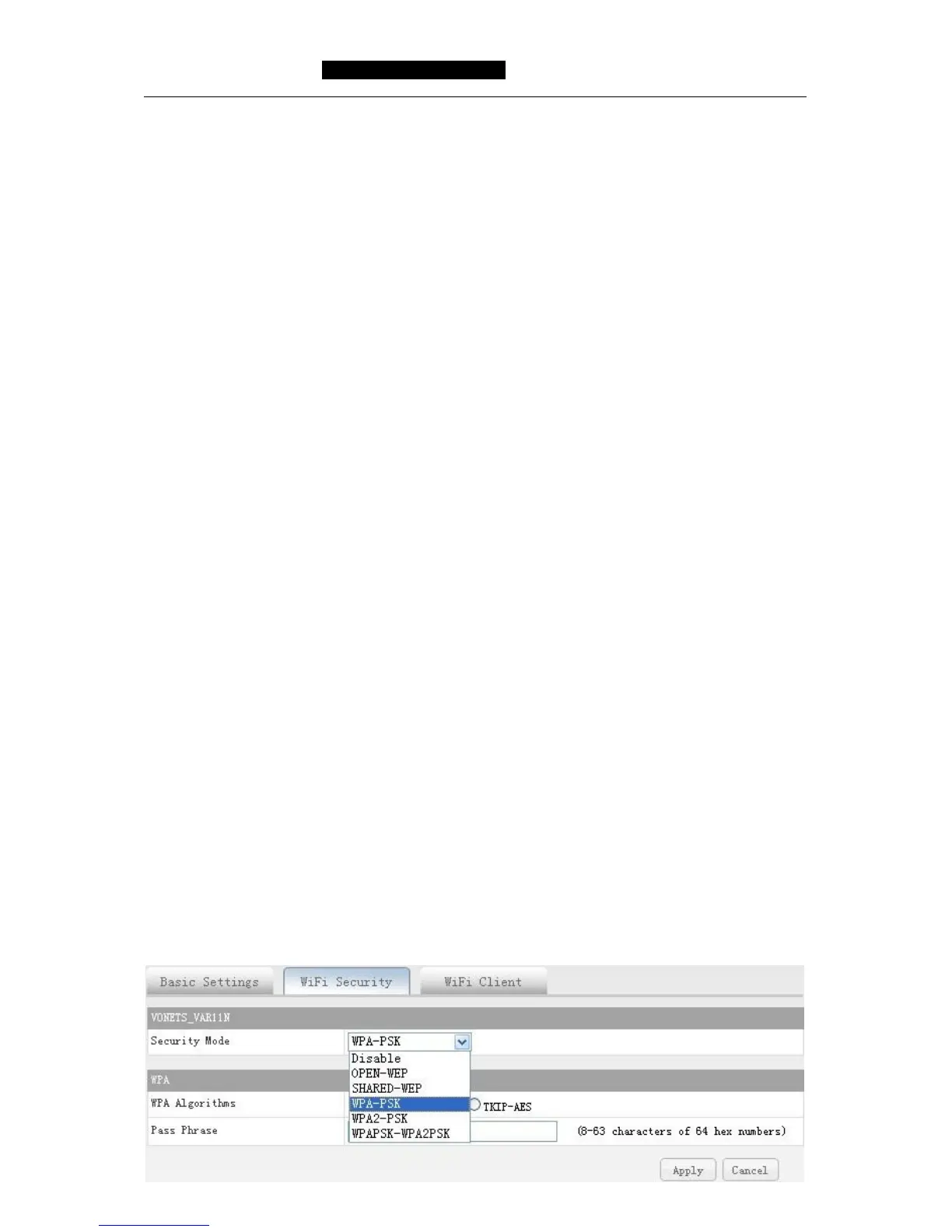
5.5.2 WIFI Security
Through the page to set up a wireless security, this device supports OPEN-WEP,
SHARED-WEP, WPA-PSK, WPA2-PSK, WPAPSK, WPA2PSK. In order to prevent rub
network, we strongly recommend you to choose WPA-PSK AES encryption method,
here introduce you the most usual encryption methods.



 To Next Page