VONETS——VAR11N 150M Mini WIFI Router
24
address to “IP address Auto config”, when you open computer, DHCP
server assigns IP address to computer automatically from address
pool, no need configure manually. The default is enable.
Start IP Address/End IP Address: Input the starting address and the ending IP
address. After the configuration, DHCP server
assigns to the intranet. The host IP address is
between these two addresses.
Subnet Mask: Choose the subnet mask of VAR11N WIFI router to local area network.
Default Gateway: Should input LAN Port IP address of VAR11N WIFI router, it should
be 192.168.1.254.
The Primary/Secondary DNS Server: You can input the DNS server provided by ISP
or don’t fill, if any questions, please feel free
to contact ISP.
Remark: Finishing modification, click Apply button to reboot VAR11N WIFI router to
effect the configuration.
1. If the local IP address is changed, you must use the new IP address to log in to the
WEB management of VAR11N WIFI router and the default gateway for all
computers in the LAN must be set to the IP address to the normal Internet.
2. All computers in the LAN subnet mask must be set the same as here subnet mask.
5.4.2 DHCP Client
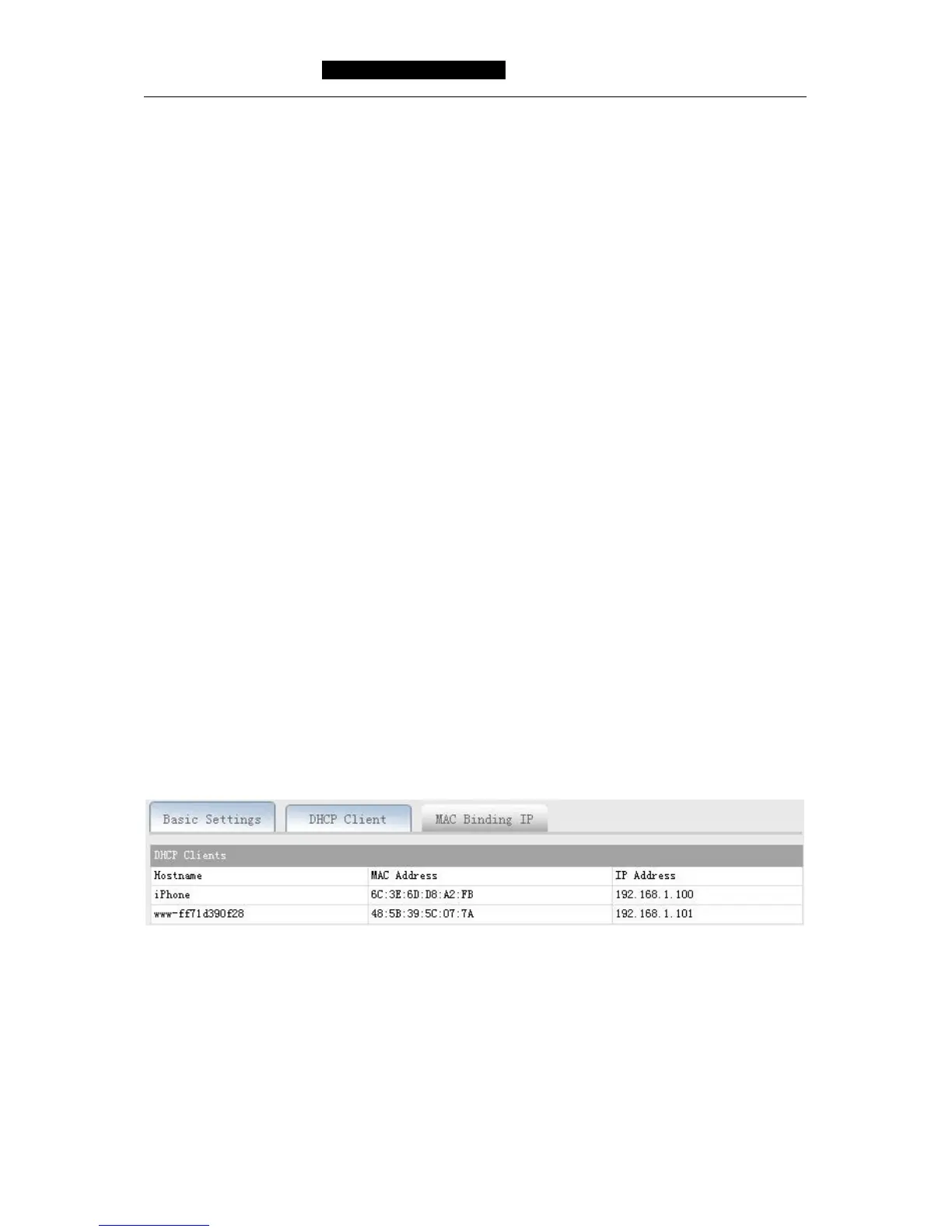
The client list displays all the current information of the client host to obtain an IP
address by the DHCP server, include Hostname, MAC Address and IP Address, please
see the following diagram:
Hostname: Display the client computer name that obtaining IP address.
MAC Address: Display the client computer MAC address that obtaining IP address.
IP Address: Display DHCP server assigned to the IP address of the client host.



 To Next Page