VONETS——VAR11N 150M Mini WIFI Router
30
Ø Ping form WAN Filter: If this function is enabled, WAN computer will not be able
to ping through router.
Ø Block Port scan: Prevent the WAN computer to port scan.
Ø Block SYN Flood: For prevent SYN Flood (ie flooding attack), please open this
function.
Ø SPI Firewall: SPI firewall to reject all requests from outside the network when
turned. SPI turns on by default. If you need to be exposed to all the hosts in the
internal network to the external network, so you can turn it off.
5.7 Forwarding Rule
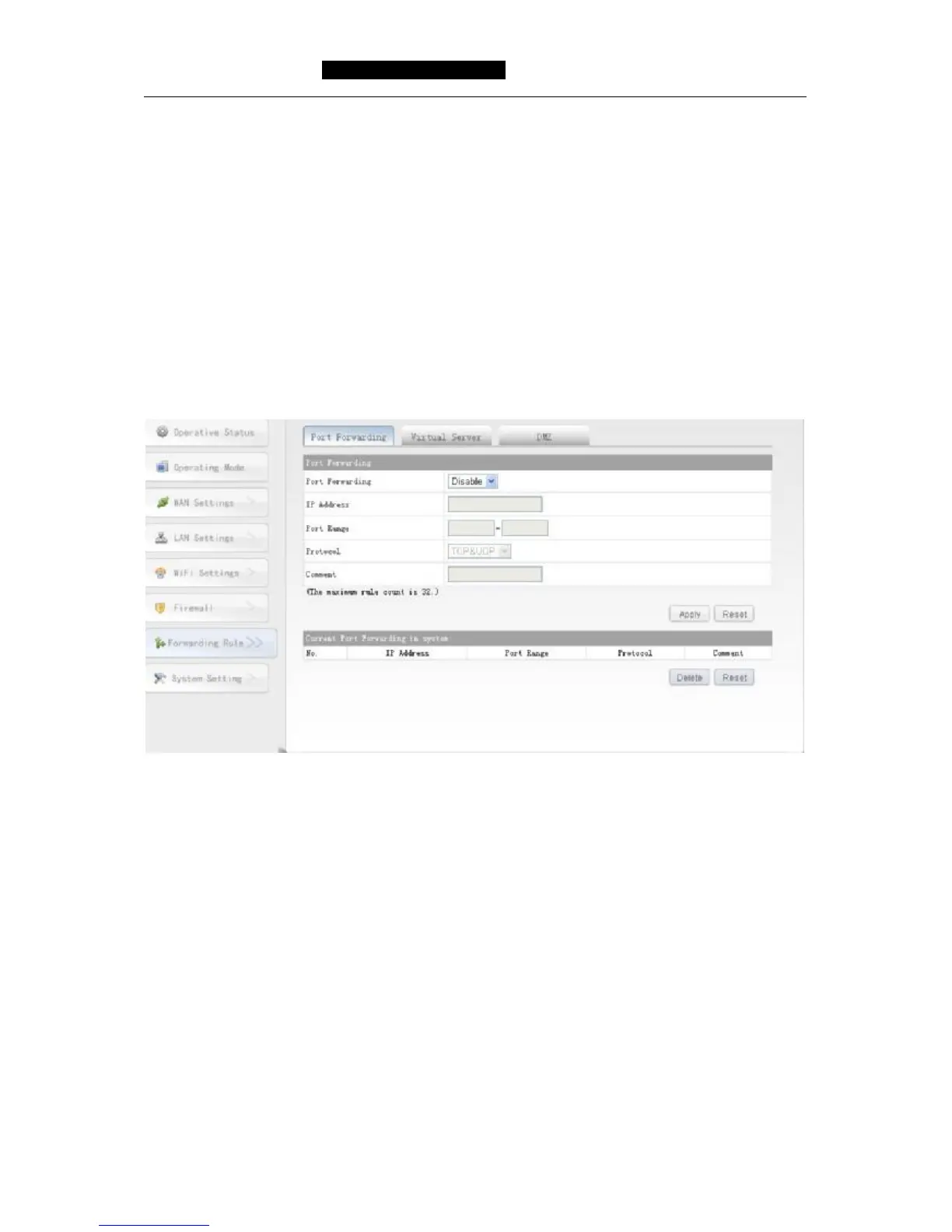
5.7.1 Port forwarding
Ø Port forwarding: Disable or Enable this function.
Ø IP Address: LAN as the IP address of the server computer.
Ø Port Range: The service ports paragraph port forwarding within the network host.
Ø Protocol: Include TCP, UDP and TCP&UDP. When you are not sure of the protocol
used, can select TCP&UDP.
Ø Comment: That is a brief description of this configuration.
5.7.2 Virtual Server
Configure the router as a virtual server, remote users can access within the LAN server,
such as Web, FTP, mail server and so on.
To ensure the security of LAN, by default, the router will be hidden the IP address of
the LAN host, make the internet computer can’t take the initiative to establish a
connection with the LAN computer. To make Internet users can access the LAN



 To Next Page