VONETS——VAR11N 150M Mini WIFI Router
13
introduces the steps of configuring computer parameters.
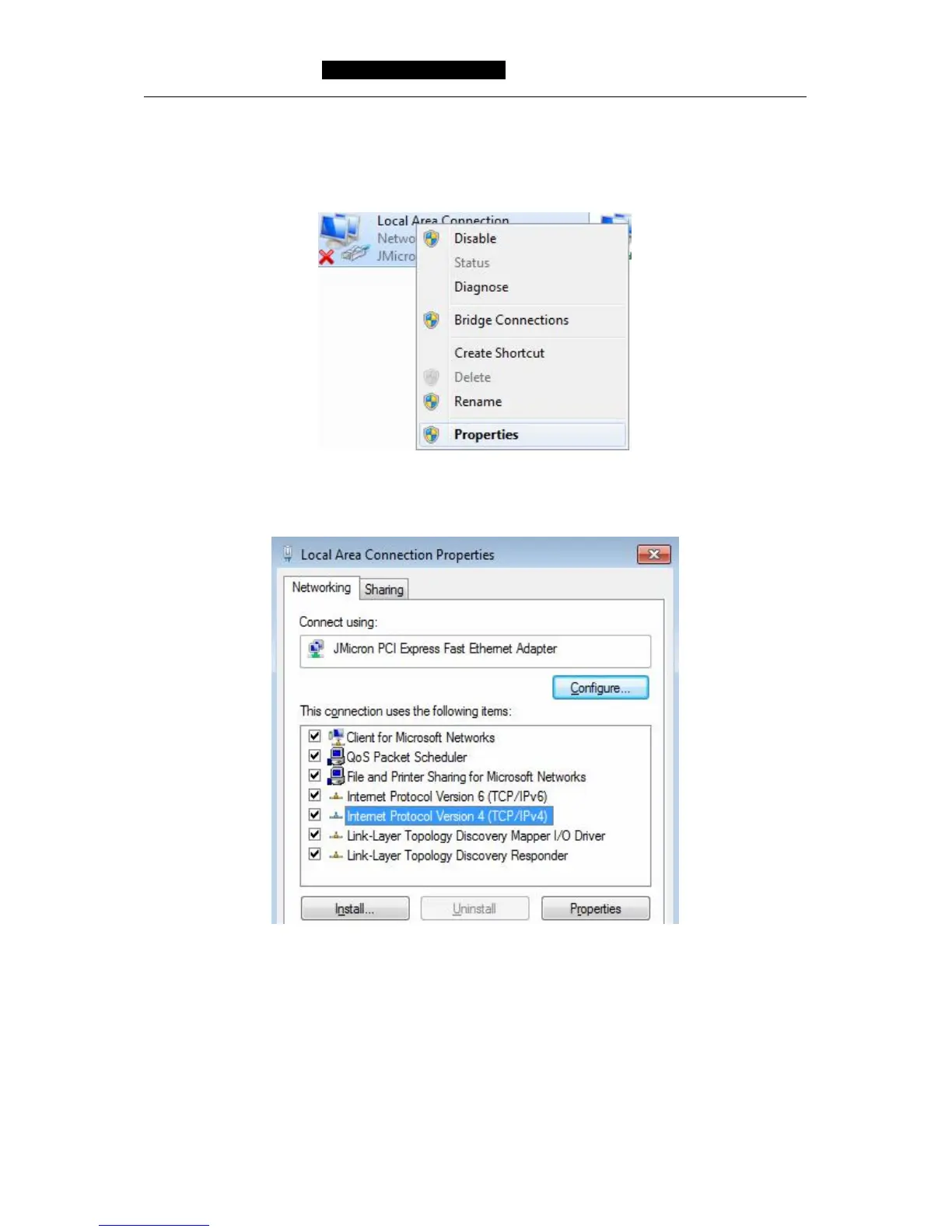
1. Right click Local Area Connection, choose Property .
2. Double click Internet Protocol Version 4 (TCP/IPv4)。
3. In WIFI router mode, please choose Obtain an IP address automatically and Obtain
DNS server address automatically, click OK, then return the last interface, click OK,
please see the following picture:



 To Next Page