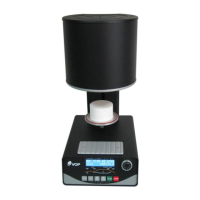
Ceramic Master Е1000 en v3 15
WARNING!
1. Avoid positioning of furnace and pump in the
immediate vicinity of heat sources (radiators).
2. Install the vacuum pump in a well-ventilated
locations. Ensure that the apertures in the frame plate
are free and that no foreign object can fall into the
furnace base.
3. Avoid placing any objects on the frame plate, place
only on the face cooling plate.
4. Ensure that the sealing ring in the furnace head and
the sealing rim of the furnace base are kept clean and
undamaged.
5. Always keep the firing chamber closed between firings.
6. It is strongly recommended to use porous ceramic tray
(on request - № 81022).
For the proper work of the furnace it is necessary to hold
the furnace in stand-by mode for at least 0.5 hours. After
switching on the furnace close the dome and wait 0.5
hours.
7. If the power supply is interrupted during the working
process and:
7.1. If the temperature in the chamber has not
decreased by more than 15 degrees, the current
program will continue from the stage at which it
has been stopped.
7.2. If the temperature in the chamber has decreased
by more than 15 degrees, the following message
will appear on the display:
LONG TIME POWER OFF
In this case the program cannot continue. You have to
press the button STOP in order to exit this state.
The total number of the programs is 100 - with numbers
from 0 to 99. Programs from №1 to №20 have
parameters for ceramic NORITAKE. The manufacturer has
entered equivalent parameters in all other programs.
Every program could be intended for press ceramic or for
ordinary ceramic. It depends on if parameters PRESS
TIME and PRESS RATE are skipped or not. If these
parameters are skipped, the particularly chosen program
is intended for ordinary ceramic. If they are not skipped,
this program is for press ceramic.
It is responsibility of the customer to enter the data for
the ceramic that he uses before to start working.
8. EXCHANGE OF DATA AND PROGRAMS BETWEEN
THE Ceramic Master PRESS FURNACE AND PC
Transfer of programs from PC to the Ceramic Master


 To Next Page