13
WWW.VORONDESIGN.COM
HOW TO CONNECT THE WIRED OPTICAL SENSOR
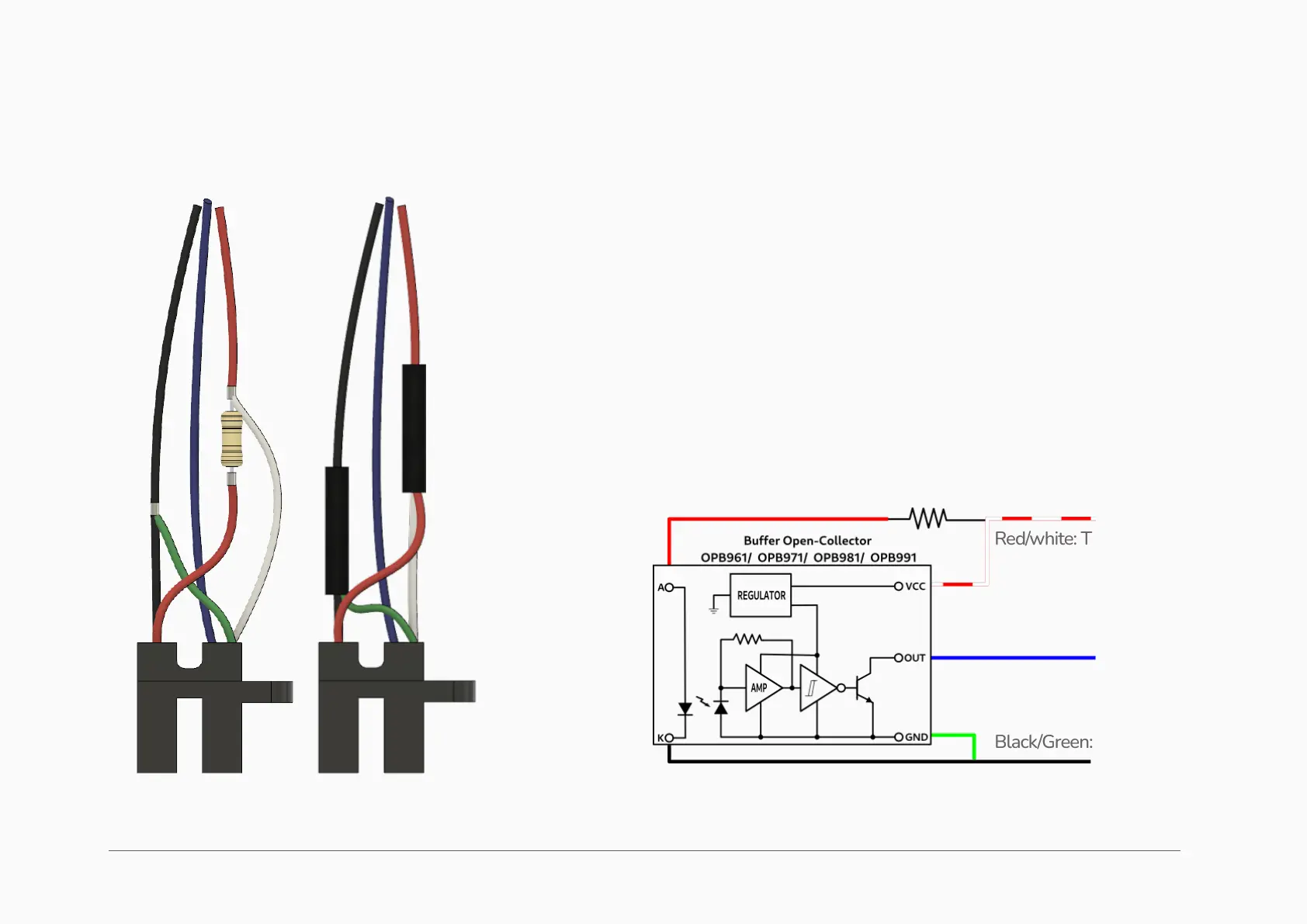
1. Solder the red wire to one side of resistor.
2. Solder the white wire to the other side of resistor.
3. Solder the black and green wires together.
4. Cover all solder joints and the resistor with shrink tube.
5. Connect the red wire to +5 volts, blue wire to the signal pin of your MCU,
and the black wire to ground (0 volts).
ASSEMBLE SENSOR (WIRED SENSOR OPTION ONLY)
Red/white: To MCU +5v
Black/Green: To MCU 0V
220 Ohm ¼ watt resistor (+/-



 To Next Page