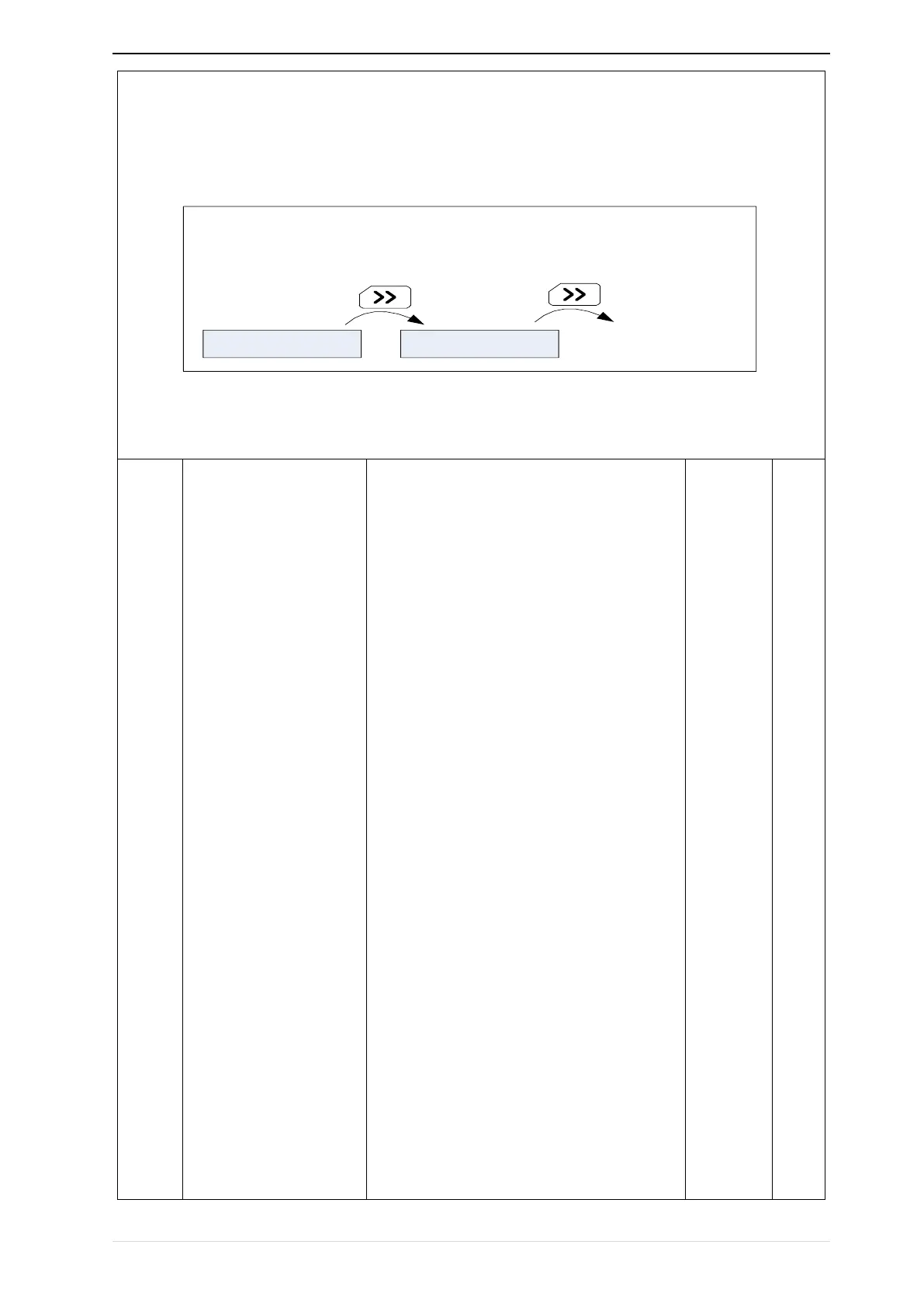
Encountered "0" then skip, cycle monitoring.
Take the shutdown monitoring interface for example, P21.12 = 0052, there are 2 monitoring variables, which are
r27.01 (monitor display parameter 2, P21.05 = 27.01) and r27.03 (monitor display parameter 5, P21.08 = 27.03),
press the 【SHIFT】 key on the keyboard to switch between the two monitors, as shown below.
Unit’s digit: quick editing function selection
0: invalid
1:Numeric frequency setting
2:Numeric torque setting
3:PID digital setting 0
Note: The quick editing function means that if the
current monitoring value is the output frequency
or command frequency under the monitoring
status, press the [ENTER] key to enter the
parameter editing interface directly. The edited
parameters are set by the ones digit of this
function code.
Ten’s digit: monitor pointer reset selection
0: When the display status is in the monitoring
status from other status, or when the running
monitoring status and stop monitoring status are
switched, the previously recorded monitoring
pointer position will be restored.
1: When the display status is in the monitoring
status by other status, or when the monitoring
status of running status and stop status are
switched, the monitor pointer will be reset to the
ones of P21.11 or P21.12.
Note: when power-on, the shutdown


 To Next Page