50
5.3 Error codes
An error number is shown at the display
Error code Meaning Remedy/description
E-01 Loss of position Perform a reset
E-16 Button error Wrong button combination pressed on
handswitch, button combination not
supported
E-59 Collision The table's collision protection
protection has been triggered, Check the travel path
Channel 1 Remove obstacles
E-60 Collision The table's collision protection
protection has been triggered, Check the travel path
Channel 2 Remove obstacles
Caution! During the warranty period, the drive elements may only
be replaced by the VS Customer Service (VS-KD).
Important! If you have any further questions, please consult your
responsible expert VS consultant or the appropriate VS branch.
5.4 Troubleshooting – customer / VS Customer Service
Caution! The replacement of the drive technology is only permitted
through the VS customer service (VS-KD)!
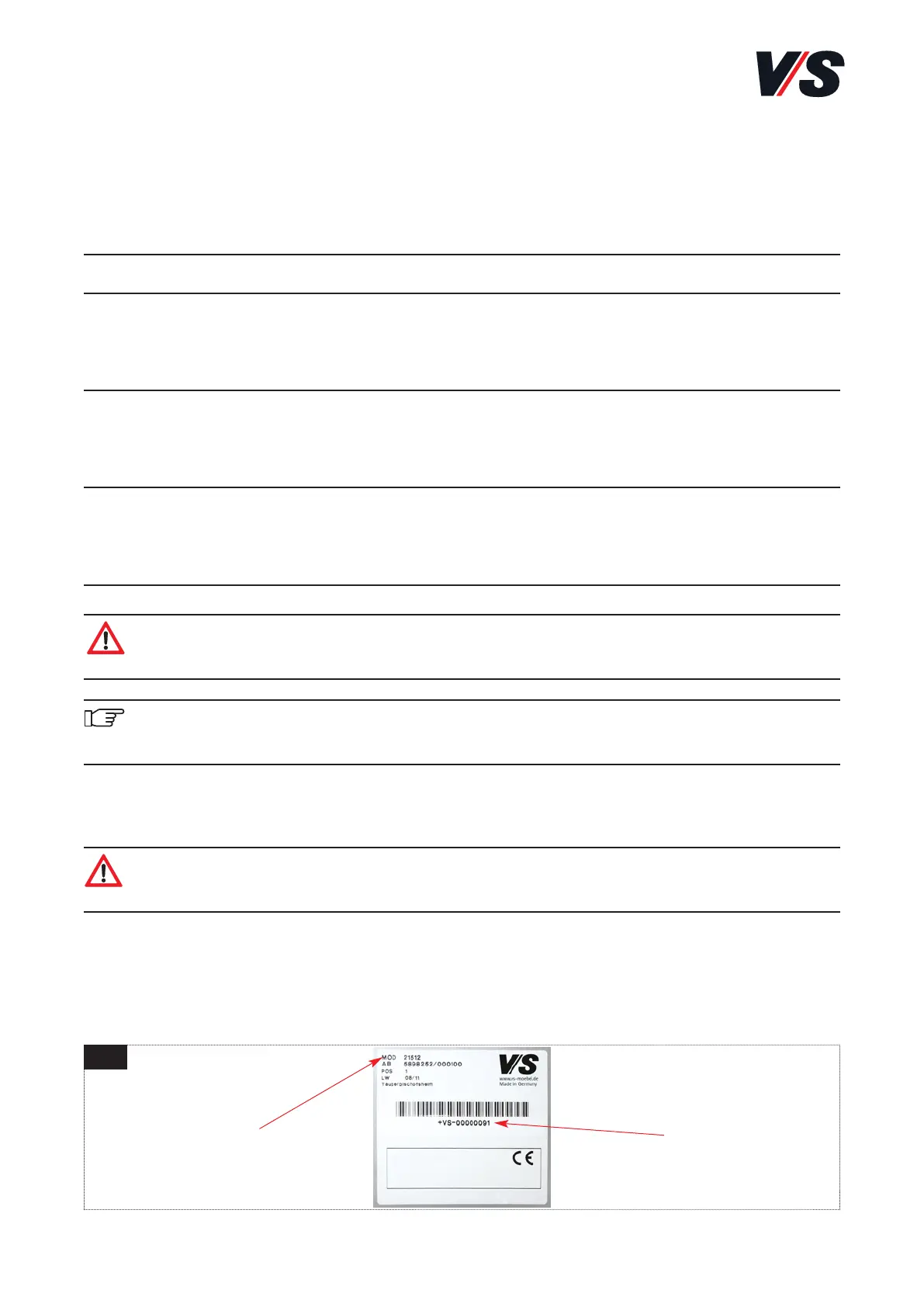
When contacting the VS customer service, please use the model no. and the
serial no. of the table. This can be found on a rating plate on the underside
of the tabletop [Figure 4].
serial no.model no.
4



 To Next Page