56
1 2
3
(1)
(2)
(3)
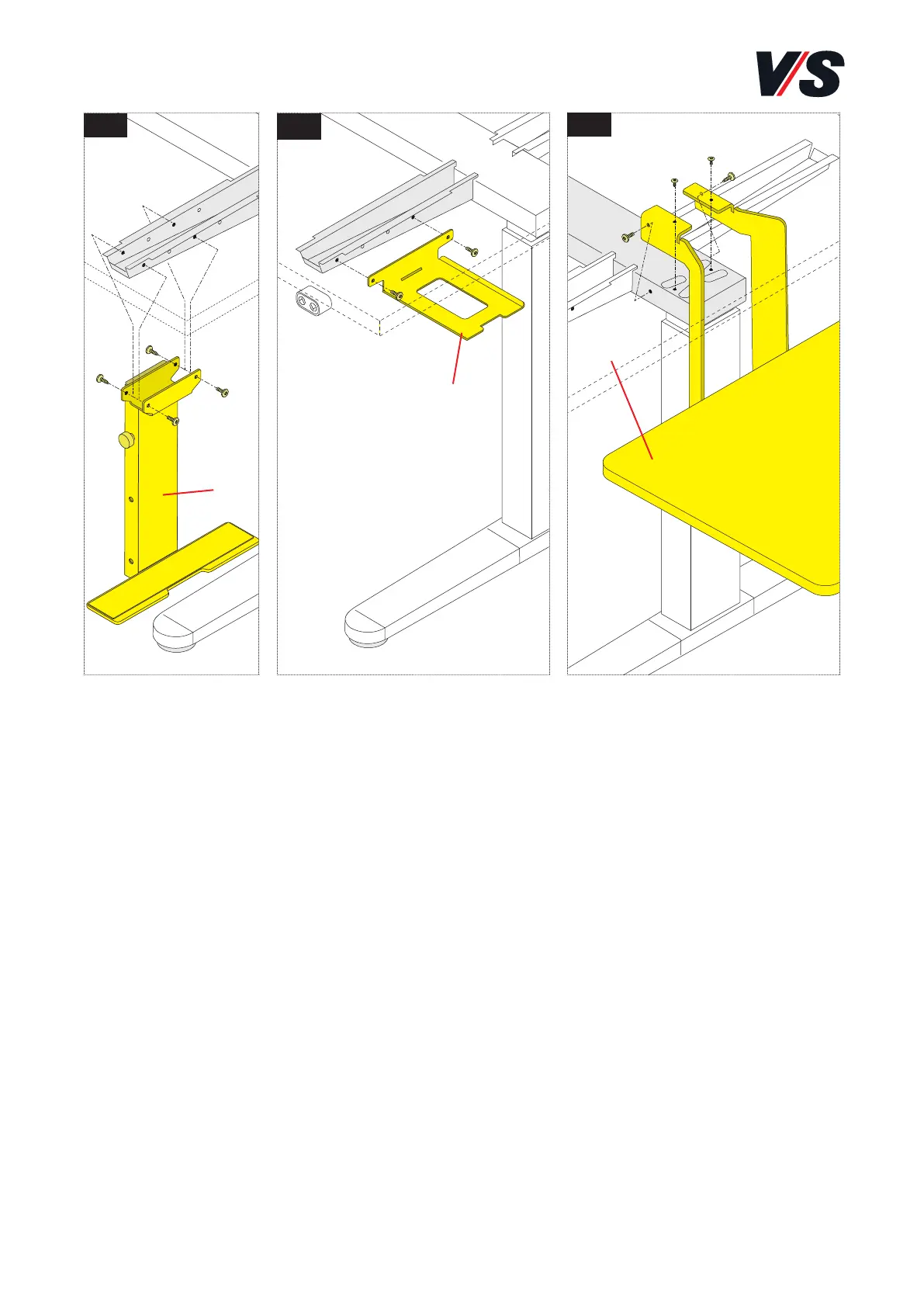
7.4 CPU holder, ThinClient holder, printer board
The CPU holder (1) (fixed or adjustable) can be fixed on the left or right
and can be oriented inwards or outwards [Figure 1]. Position it in such
a way that the computer does not knock against the table pillar.
The ThinClient holder (2) for mini-PCs is screwed to the table bracket
on the left or right [Figure 2].
The printer board (3) can be fixed to the table leg on the left or right
[Figure 3]. To perform assembly, remove the table top (see section 6.1).
Screw the retaining piece to the table crosspiece from the top and the
side. Use the pan-head screws for the top screw fixing.



 To Next Page