58
1 2
3
8. Twin dual desk
The following should be noted in the case of the Twin dual desk with
moving screens
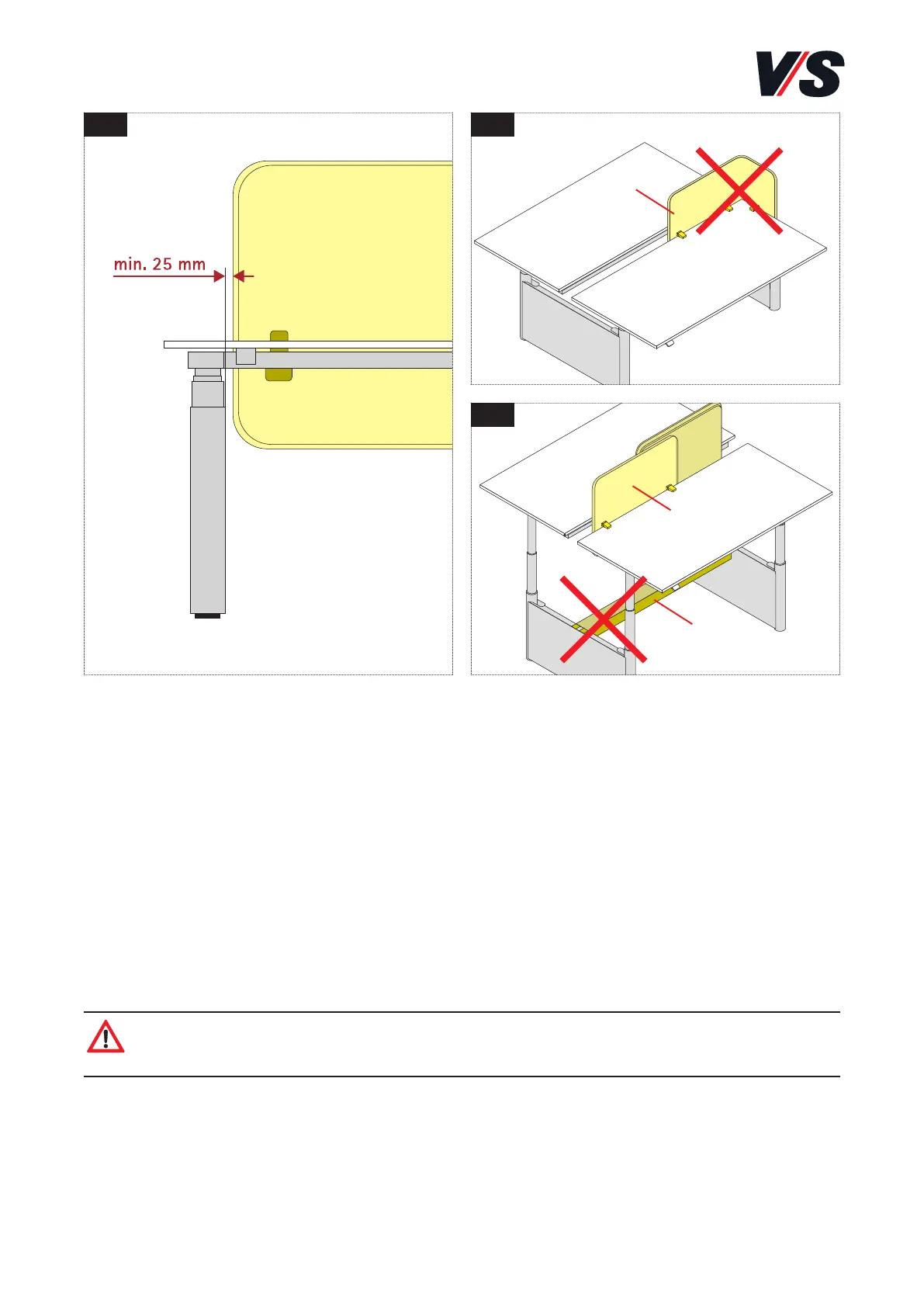
– Screens that move straight must be moved in at the left and right
in the area of the end panel in order to prevent pinching between
the end panel and the screen. Safety distances of 25 mm must be
respected [Figure 1].
– A moving ScreenPlus corner screen (1) is not permitted [Figure 2]!
– A hollow tray (2) is not permitted in combination with moving
screens (3) [Figure 3]!
Caution! When using the drive, make sure that no objects or body
parts are trapped!
(2)
(1)
(3)



 To Next Page