- 33 -
• AUTOSTART - Determines start criterion for measurements: whether they are to be initiated
manually, on pressing a button or selecting <START>, or automatically. When the parameter
is set to <YES> option, the measurement starts automatically if an indication on a balance
display exceeds the set threshold value. The following measurement can start on removing the
weighed object from a balance pan (the indication has to return below the value set in the
threshold), and on loading the pan with a new object at a moment when the set threshold value
indication is exceeded.
Prior to tests it is necessary to adjust settings of the above options so that correct values were
provided. The selected options shall be respective to needs and expectations resulting from working
environment.
13.1. RUNNING THE PROCESS MANUALLY
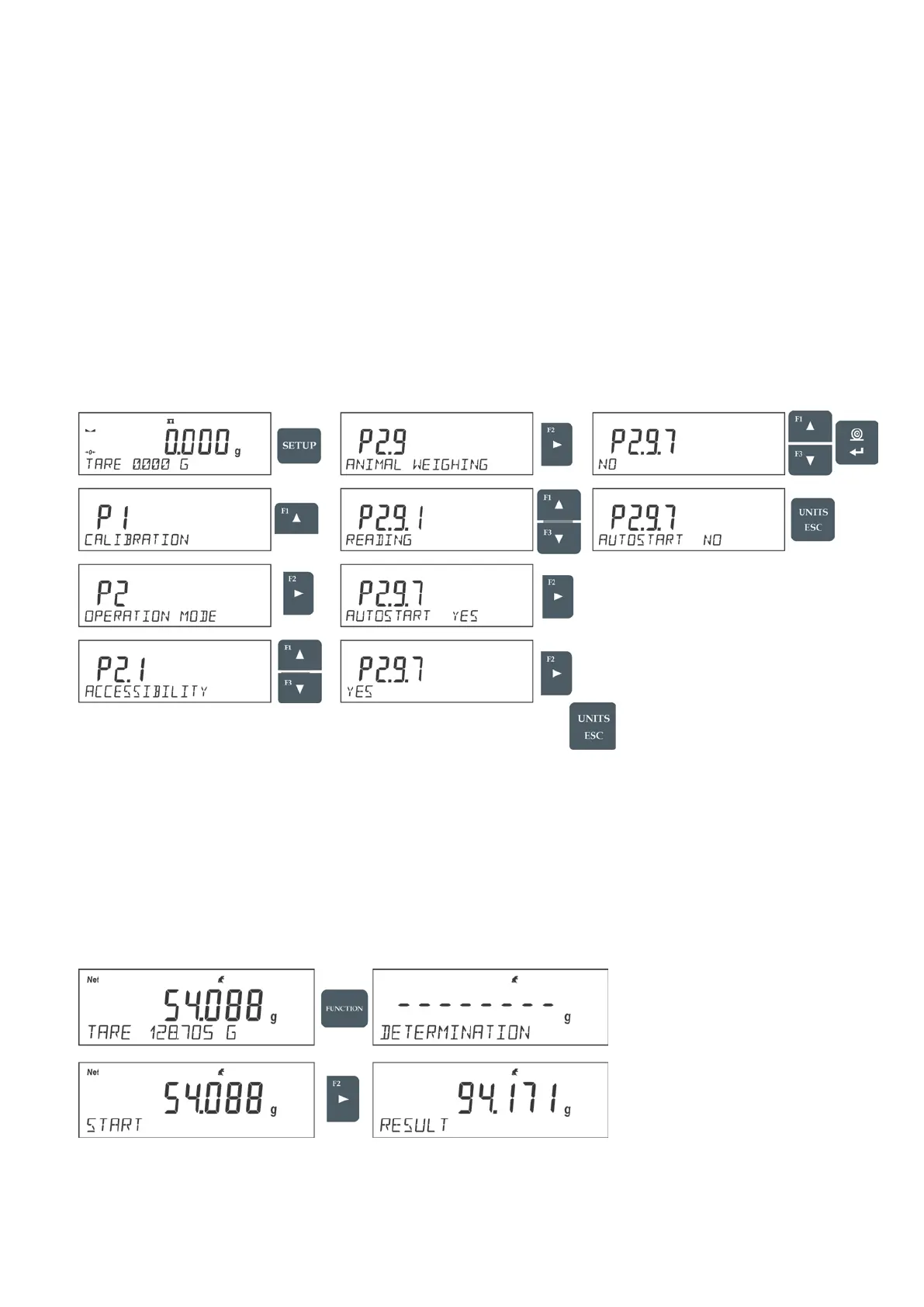
To start the process of weighing manually, enter the mode settings, select an <AUTOSTART>
parameter and set <NO> value.
Procedure:
After altering the settings, return to the main window by pressing
button repeatedly.
Next, set the averaging time in seconds. It is the time, during which the balance software acquires
measurements and based on these measurements the average result is determined.
The <THRESHOLD> parameter is not required for this measurement mode.
Select <ANIMAL WEIGHING> mode.
Place the container in which the measurement is to be carried out on the weighing pan and when the
indication is stable carry out taring.
Next, enter the mode options and start the measurement procedure following the instruction below.
After weighing process completion, the measurement result is locked and automatically printed.


 To Next Page