- 40 -
16. COMMUNICATION
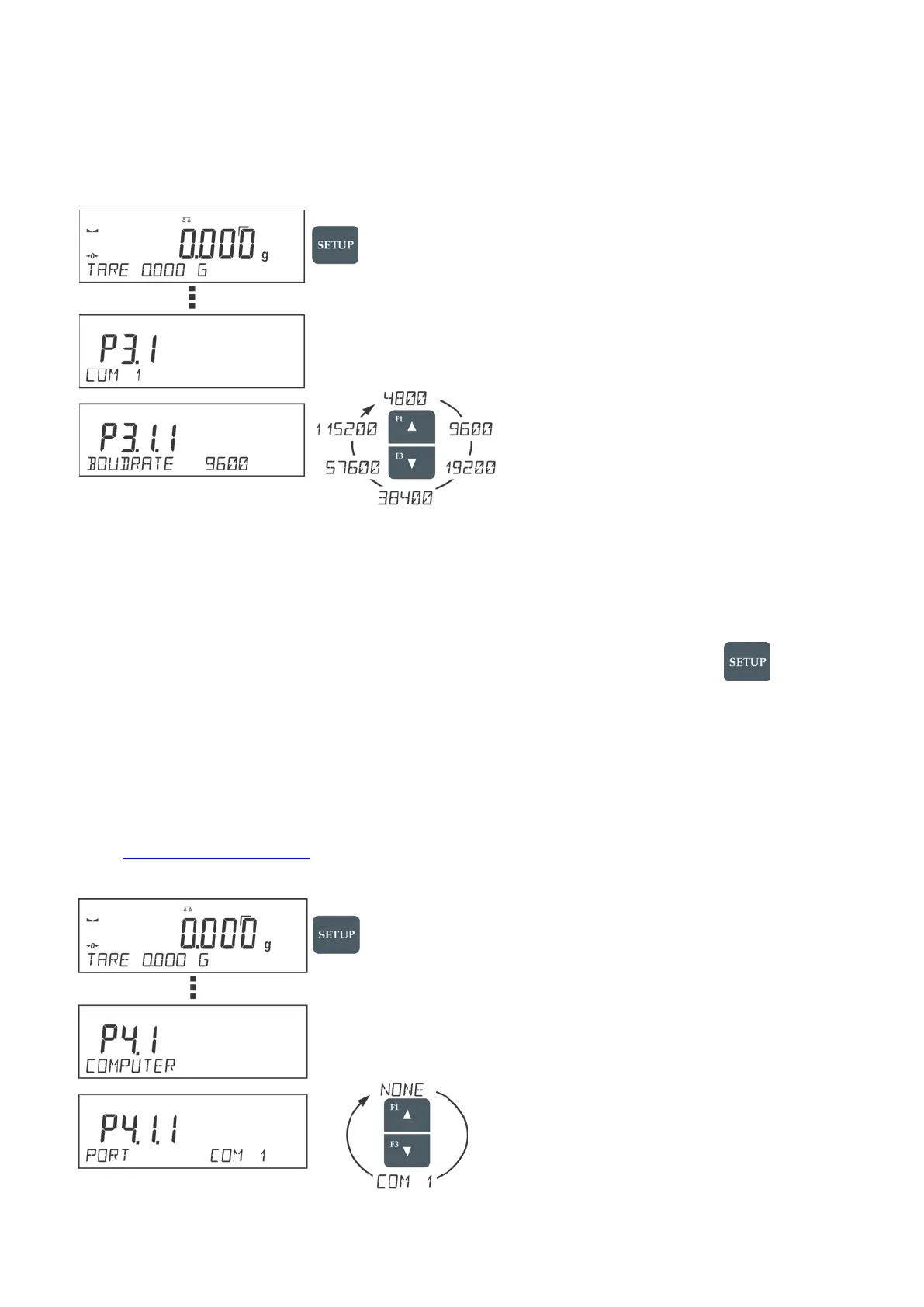
16.1. RS 232 PORT SETTING (COM)
Procedure:
• Select communication port <COM 1>,
• Set respective values
The RS 232 ports enable the following setting of transmission parameters:
• Baud rate – 2400, 4800, 9600, 19200, 38400, 57600, 115200 bit/s
• Parity – NONE, ODD, EVEN
17. DEVICES
DEVICES menu is comprised within Parameters menu. It is accessed by pressing key. The
menu features list of devices that can cooperate with the balance.
17.1. COMPUTER
<COMPUTER> submenu allows the user to select a port for connection of a computer running
software which enables:
• communication with a balance,
• switching the continuous transmission on and off, and
• cooperation of a balance with RLAB software (to request software, contract
support@schulersci.com
)
Computer Connection Port


 To Next Page