- 41 -
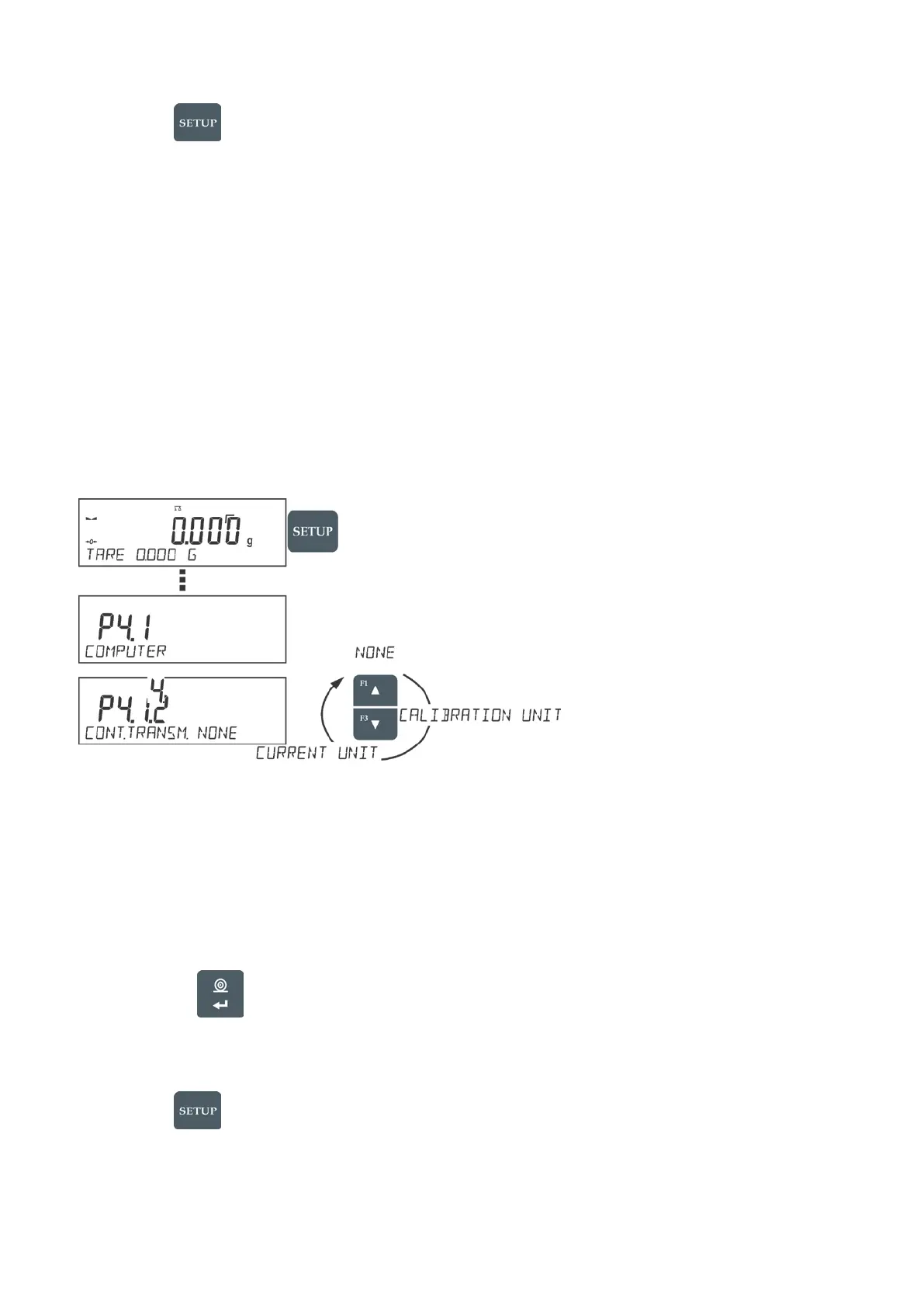
Procedure:
- press button
- enter <P4 DEVICES> menu
- enter menu group: <P4.1 COMPUTER>
- select port to which a computer is to be connected,
COM 1– RS 232 port, to which the computer is connected
Continuous Transmission
Continuous transmission parameter enables turning on/off continuous transmission of
a measurement result.
Available options:
• Continuous transmission in a calibration unit <CAL. UNIT>, independently from currently
chosen weight unit, measurements are transmitted in unit set on a main measuring device
(calibration unit)
• Continuous transmission in a current unit <CURRENT UNIT> measurements are transmitted in
a current unit; the unit changes dynamically whenever the user presses Units button in order to
modify the unit on a display.
• Continuous transmission off <NONE>
Procedure:
CAUTION!
Continuous transmission may be turned on/off by means of a command sent from a computer (go to
COMMUNICATION PROTOCOL section)
Printouts Interval for Continuous Transmission
Parameter <P4.1.5. INTERVAL> enables setting frequency of printouts for continuous transmission.
Frequency of printouts is set in seconds, wherein the accuracy is 0.1s.
The user may set any time value ranging from 1000 to 0.1 s.
17.2. PRINTER
Submenu <PRINTER> allows the user to choose a port and a device, to which the data is to be sent
upon pressing
button on a balance. Content of data being transferred is set in parameter
<PRINTOUTS/PRINTOUT GLP>.
Procedure:
- press button
- enter <P4 DEVICES> menu
- enter menu group: <P4.2 PRINTER>
- select port to which the printer is to be connected:
COM 1– RS 232 port, to which the printer is connected


 To Next Page