- 9 -
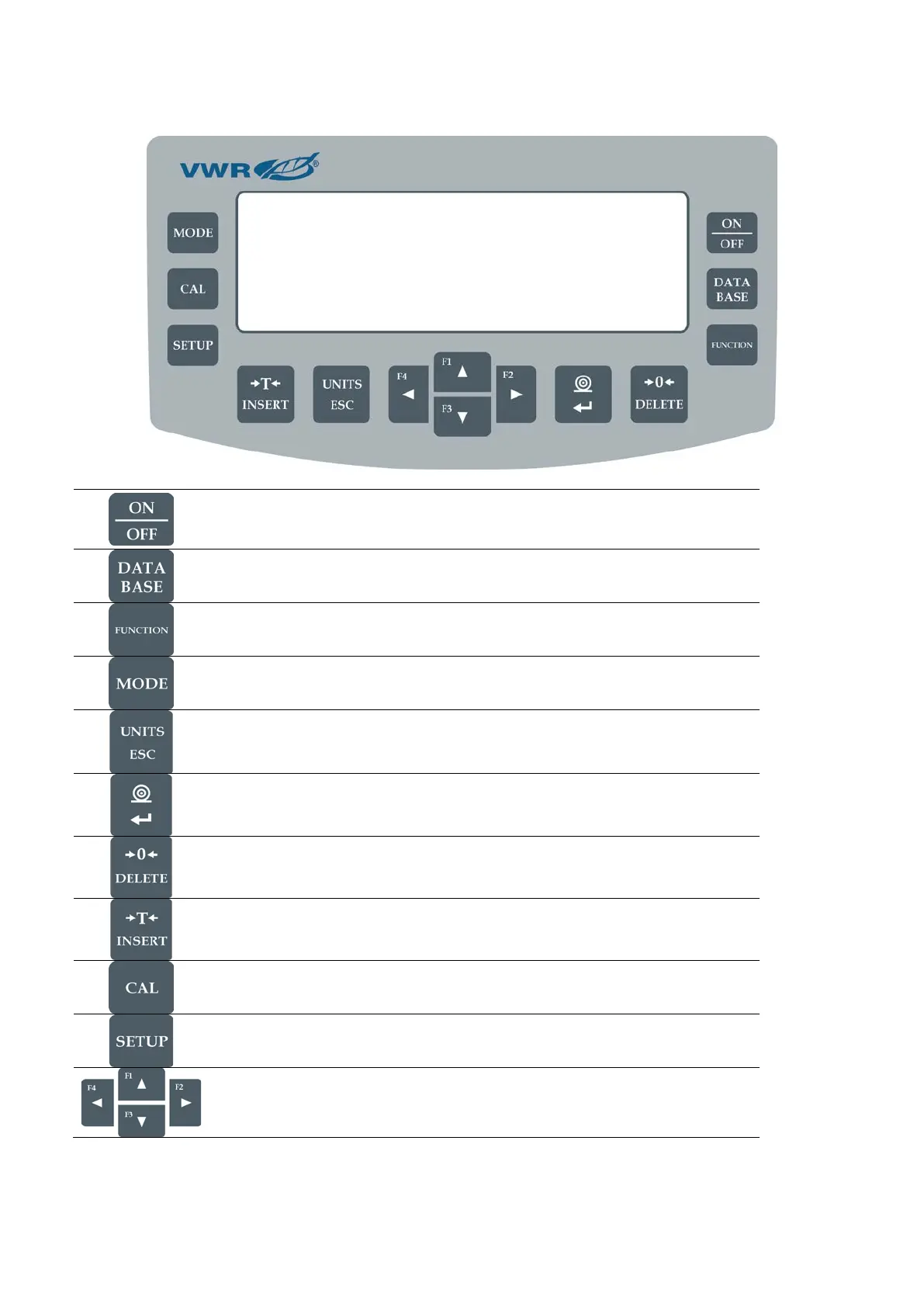
3. KEYBOARD – BUTTON FUNCTIONS
Press to switch the balance ON/OFF. If switched off, balance
components other than the display are powered, and balance is in
stand-by mode.
Press to access data stored in a database: user, product, tare.
Press to enter directly the active working mode settings.
Press to select working mode.
F5 button of the computer keyboard.
Press to change measuring units.
Press to send measurement to a printer or a computer (PRINT).
Press to confirm selected parameter value or function (ENTER).
Press to Zero the balance
Press to Tare the balance
Press to start adjustment / calibration process immediately.
Press to enter the main menu of a balance.
Press to operate balance menu or change parameter value.


 To Next Page