26 VWR Mega Star 600 / 600R ver b, rel 17.07.2020
Stopping the Centrifuge Run
With Pre-Set Running Time
If the run time is preset, the centrifuge will run at the selected speed until the desired run time is reached.
It will then automatically decelerate and stop. Once stopped “RUN COMPLETED” will be displayed and if
selected the display will flash. Access to the chamber and rotor can be gained by pressing the OPEN key.
If selected the door will open automatically.
You can also stop the centrifuging program manually at any time by pressing the STOP key.
Continuous Operation
If you select continuous operation, you will have to stop the centrifuge manually. Press the STOP key on the
control panel. The centrifuge will be decelerated at the set rate. The message “RUN COMPLETED” will be
displayed. After pressing the OPEN key, the centrifuge door will open, and you can remove the centrifuged
samples.
Short-term centrifugation
For quick centrifugation, the VWR Mega Star 600 / 600R has a PULSE- function.
By holding down the PULSE key, spinning will start at maximum acceleration rate, continue at maximum
rotor speed until the key is released. The rotor then decelerates at maximum rate. Preset values for
acceleration, deceleration and speed or RCF are disregarded for the PULSE function.
The centrifuge accelerates and brakes at maximum power. Any rpm or RCF entered beforehand is
overridden.
NOTICE The centrifuge accelerates to maximum speed according to the rotor used.
Check carefully whether you have to maintain a certain speed for your application.
During the acceleration process, time is counted forwards in seconds. The reading stays displayed until the
centrifuge door is opened.
Removing the Rotor
To remove the rotor, proceed as follows:
1. Open the centrifuge door.
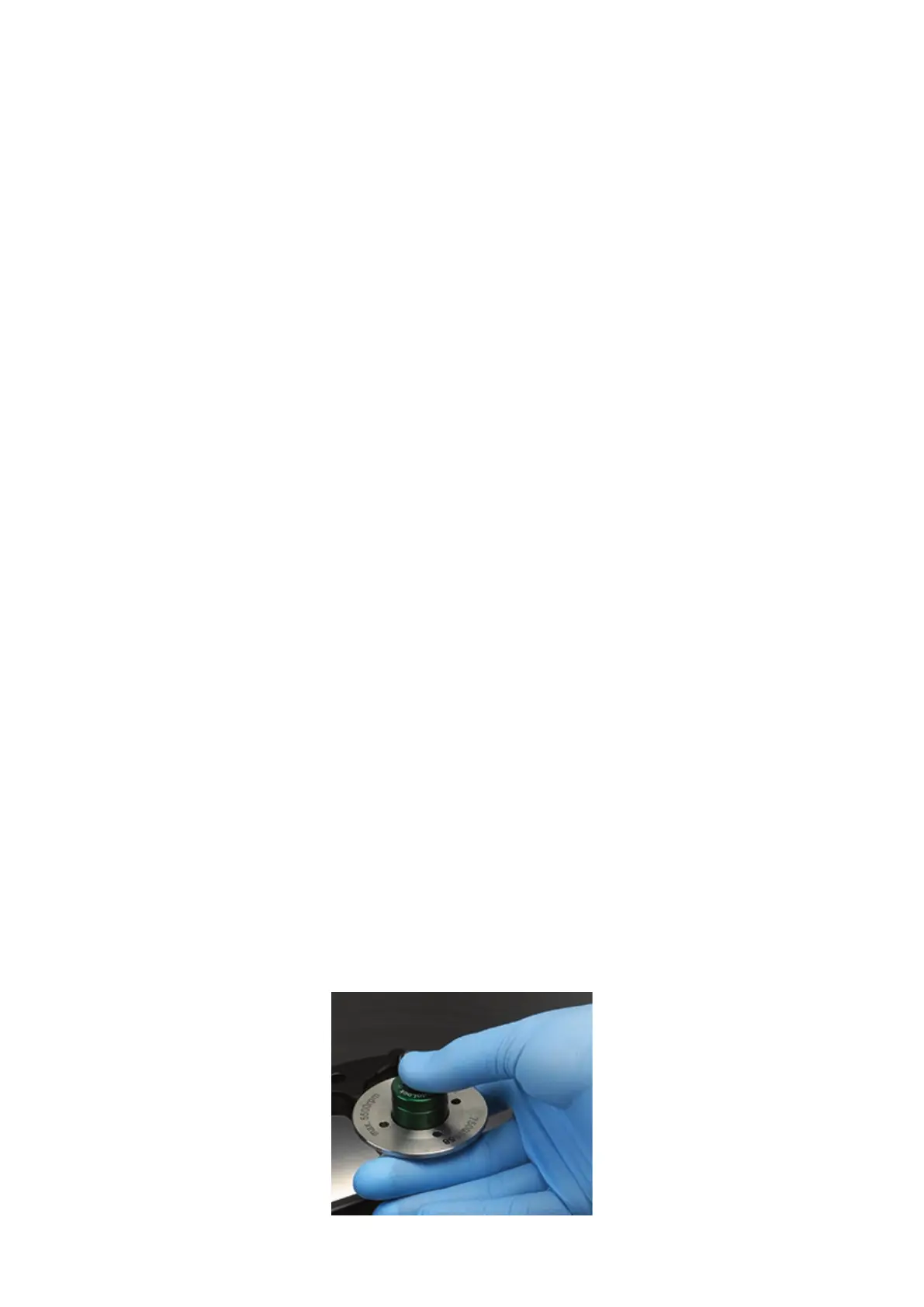
2. Grab the rotor handle and fully depress the Auto-Lock button. At the same time, pull the rotor
vertically upwards and remove it from the centrifuge spindle. Make sure not to tilt the rotor while
doing this.









 To Next Page