Sewing on buttons: Program 89
Using a Pattern
153
Manual • Sewing machine W6 N 2000 Exklusive W6 N 2000 Exklusive • 27/04/2018 • 1.0 • GBR
2. Press the ‹Needle Up - Needle Down button› twice.
▼ It is very important that the thread take-up lever concealed by the
head cover and the needle are at the top before threading and
before any change in program. The needle is then in the automatic
starting position. Failure to do so will always lead to a sloppy seam
and jams in the unwinding of the thread.
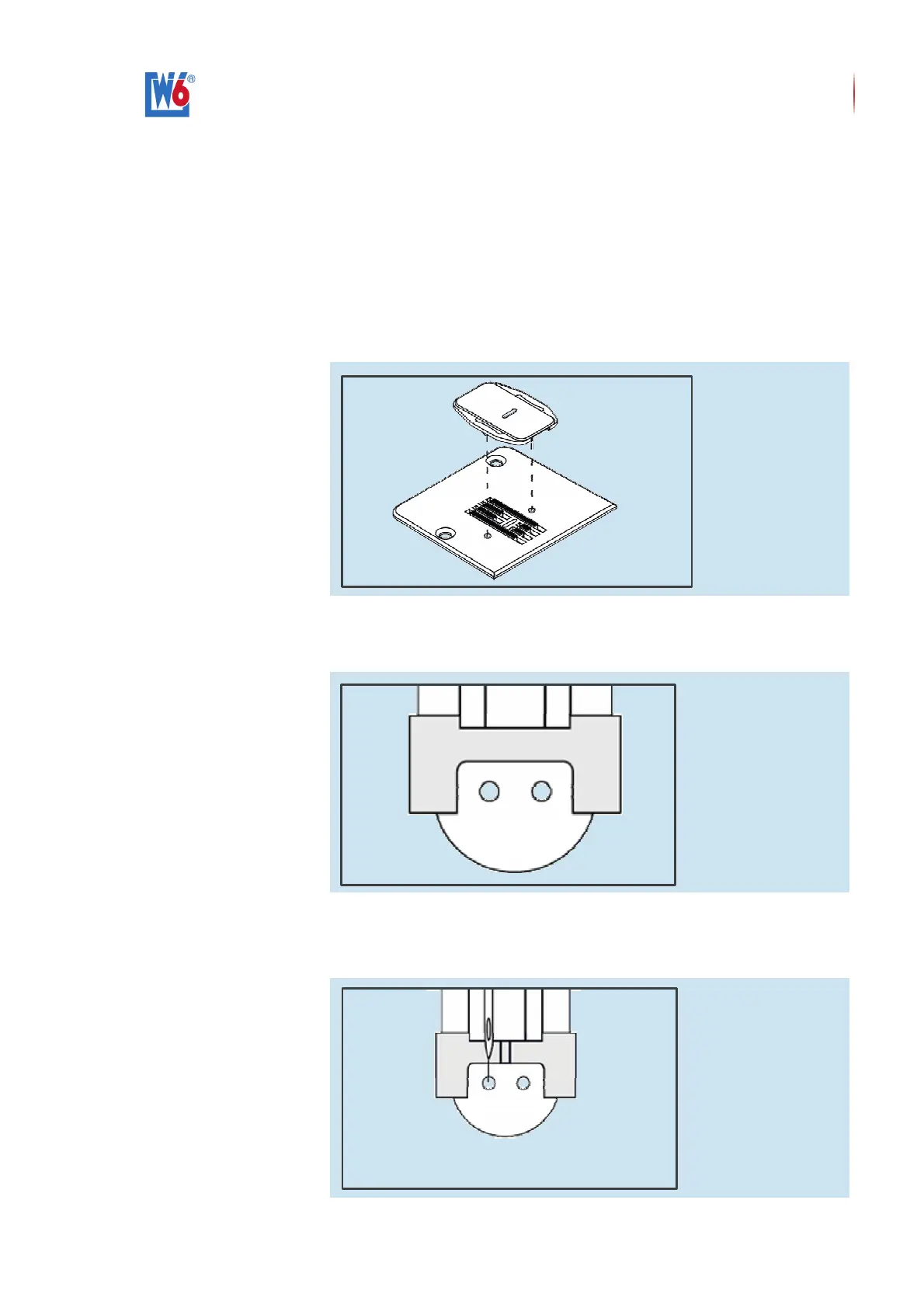
3. Cover the feed dog with the white plastic cover plate.
! In order to ensure that it is seated correctly, take care that both
pins located below the cover are guided into the holes of the needle
plate.
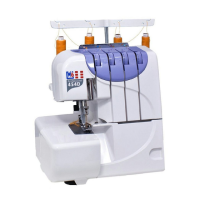
4. Slide the button beneath the presser foot.
! The button holes must be clearly identifiable through the opening of
the presser foot.
5. Lower the presser foot, so that the button is held securely.
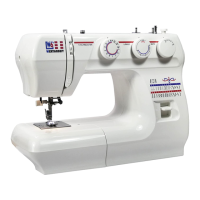
6. Set the stitch width so that the needle enters the left hole of the button
precisely.


 To Next Page