11 Appendix IV
117
WABCO Maintenance Manual MM-0112 (Revised 07-18)
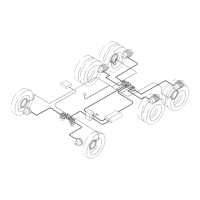
Figure 11.21
Figure 11.21
SID SPN FMI
Warning
Light
Programming
Error Code
Message
Displayed
Description/Action
253 630 2 ABS WL B8
Module of the Aftermarket
Programming file for download is
incorrect for this application (Error: B8).
Ensure that the Aftermarket
Programming file extension was not
renamed. Please exit this window and
select Aftermarket Programming to try
again.
This error will occur if the configuration file is moved or changed during a configuration
session. Close TOOLBOX™ Software, reopen it and restart the aftermarket
programming application. If the problem persists, repeat with key on only (Engine Off).
253 630 2 ABS WL B9
Part number of installed ECU
[part number] does not match part
number of Aftermarket Programming
configuration file (Error: B9). Please
contact Meritor OnTrac™ Customer
Call Center at 866-OnTrac1
(668-7221).
This failure will occur when the part number in the configuration file does not match the
aftermarket programmable ECU part number. Verify that the aftermarket programmable
replacement ECU is correct for the ECU previously installed on the vehicle.
253 630 2 ABS WL B10
This Aftermarket Programming
configuration file does not work for this
vehicle (Error: B10). Please contact
WABCO North America Customer Care
at 855-228-3203.
This failure will only occur when the VIN for the configuration file does not match
the actual VIN of the vehicle being serviced. Verify that the VIN used to purchase
the configuration file matches that of the vehicle the aftermarket programmable
replacement ECU is being installed in/programmed on.
253 630 2 ABS WL B11
Invalid ECU part number [part number]
for programming (Error: B11).
This failure will occur when attempting to configure an ECU that does not require
aftermarket programming. Verify the ECU does not require programming and refer to
the SPN SID FMI Fault Codes section in this manual.
253 630 2 ABS WL B12
Unable to read parameters from
ECU (Error: B12). Please exit this
window, cycle power and try again. If
the problem persists, please contact
WABCO North America Customer Care
at 855-228-3203.
This failure may occur if communication with the ECU is interrupted during the
configuration session. Close the TOOLBOX™ Software, reopen it and restart the
aftermarket programming application. If the problem persists, repeat with key on only
(Engine Off).
This failure will also occur when one or more of the following are not connected: Power,
Ground, J1939 CAN High, or J1939 CAN Low. Check for continuity.
253 630 2 ABS WL B13
Unable to gain security access to
ECU (Error: B13). Please exit this
window, cycle power, and try again. If
the problem persists, please contact
WABCO North America Customer Care
at 855-228-3203.
This failure may occur if communication with the ECU is interrupted during the
configuration session. Close the TOOLBOX™ Software, reopen it and restart the
aftermarket programming application. If the problem persists, repeat with key on only
(Engine Off).
This failure will also occur when one or more of the following are not connected: Power,
Ground, J1939 CAN High, or J1939 CAN Low. Check for continuity.
253 630 2 ABS WL B14
Unable to write VIN to the ECU
(Error: B14). Please exit this window,
cycle power and try again. If problem
persists, please contact WABCO
North America Customer Care at
855-228-3203.
This failure may occur if communication with the ECU is interrupted during the
configuration session. Close the TOOLBOX™ Software, reopen it and restart the
aftermarket programming application. If the problem persists, repeat with key on only
(Engine Off).
This failure will also occur when one or more of the following are not connected: Power,
Ground, J1939 CAN High, or J1939 CAN Low. Check for continuity.
4012093a



 To Next Page