9 Use and operation
100_0302_op_0001.fm 24
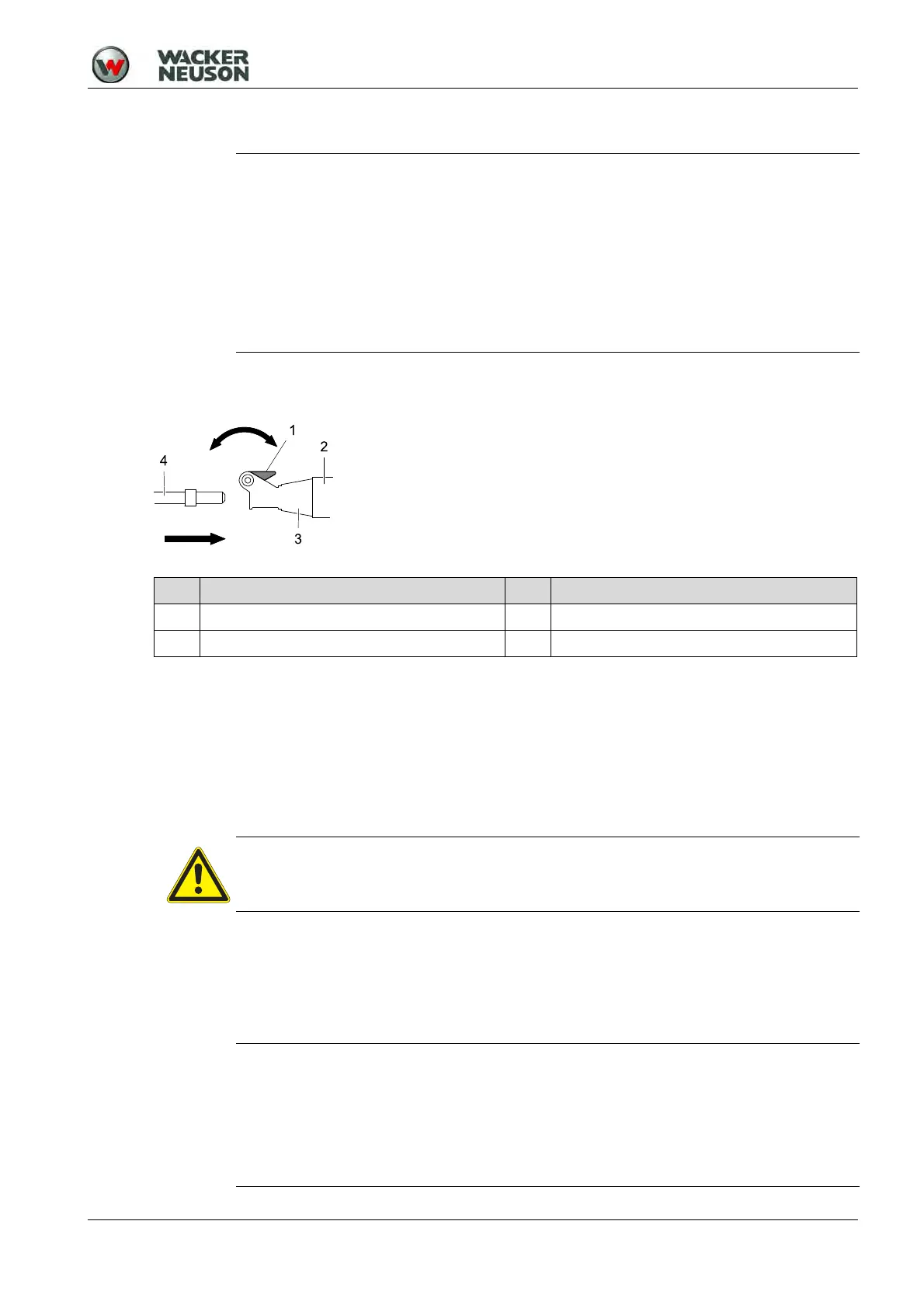
9.5 Changing tools
Inserting tool
1. Clean tool end.
2. Swivel out handle on the tool holder.
3. Turn the tool into the position which is most suitable for the intended work.
4. Push tool into the tool holder as far as it will go.
5. Press the handle on the tool holder.
6. Check to see if the tool is locked by pulling on the tool.
Removing tool
1. Swivel out handle on the tool holder.
2. Remove tool from the tool holder.
3. Press the handle on the tool holder.
9.6 Starting up
NOTICE
General notes
You can change the tool without additional tools.
Notes on using tools
Only use tools with the following properties:
The tool must be suitable for the tool holder.
The tool end must be undamaged.
The tool must be sufficiently sharp to avoid impact damage.
The tool must be suitable for the intended application.
Item Designation Item Designation
1 Handle 3 Tool holder
2 Guide cylinder 4 Tool
CAUTION
Risk of burn injury from a hot tool and guide cylinder.
Touch the tool only if you are wearing protective gloves.
NOTICE
When working, use the weight of the hammers.
Pressing forcefully against the material to be worked on does not improve the
machine's performance.
Press the machine against the material to be worked as follows:
Press with sufficient strength that the machine noticeably locks into place.
Apply somewhat less pressure as soon as you feel the lower stop.


 To Next Page