Create On-Screen Controls
You must first create a new On-Screen Control, or copy an existing one, and then you can assign settings to it.
Important: On-Screen Controls are not specific to a device. You can assign them to a customizable component of any device
that appears in Wacom Tablet Properties.
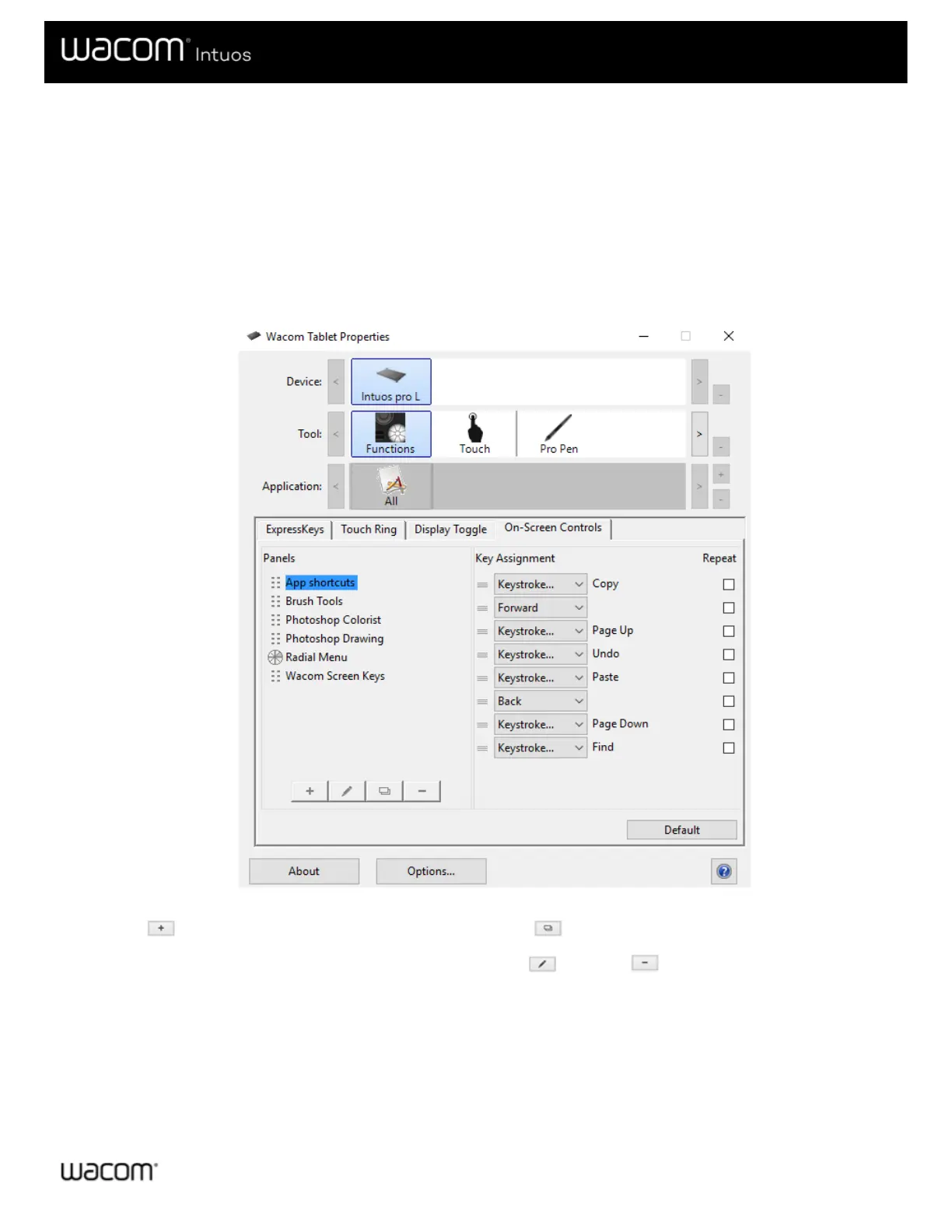
1. Open Wacom Tablet Properties.
2. Select Functions from the Tool list.
3. Select the On-Screen Controls tab.
The above screenshot is for descriptive purposes; it may not match your screen.
4. Select if you want to create a new On-Screen Control or select if you want to copy an existing one.
Note: You can also select an existing On-Screen Control and click to edit it or to delete it.
5. In the window that appears, enter a Name and select a Layout by clicking one of the layout buttons.











 To Next Page