Tablet active area mapping
The active area is the area on the tablet that you interact with by pen and touch, if touch is supported on your tablet. The active
area might be indicated by a different color or by a pattern. The edges of the active area might be outlined or indicated with
marks in the corners.
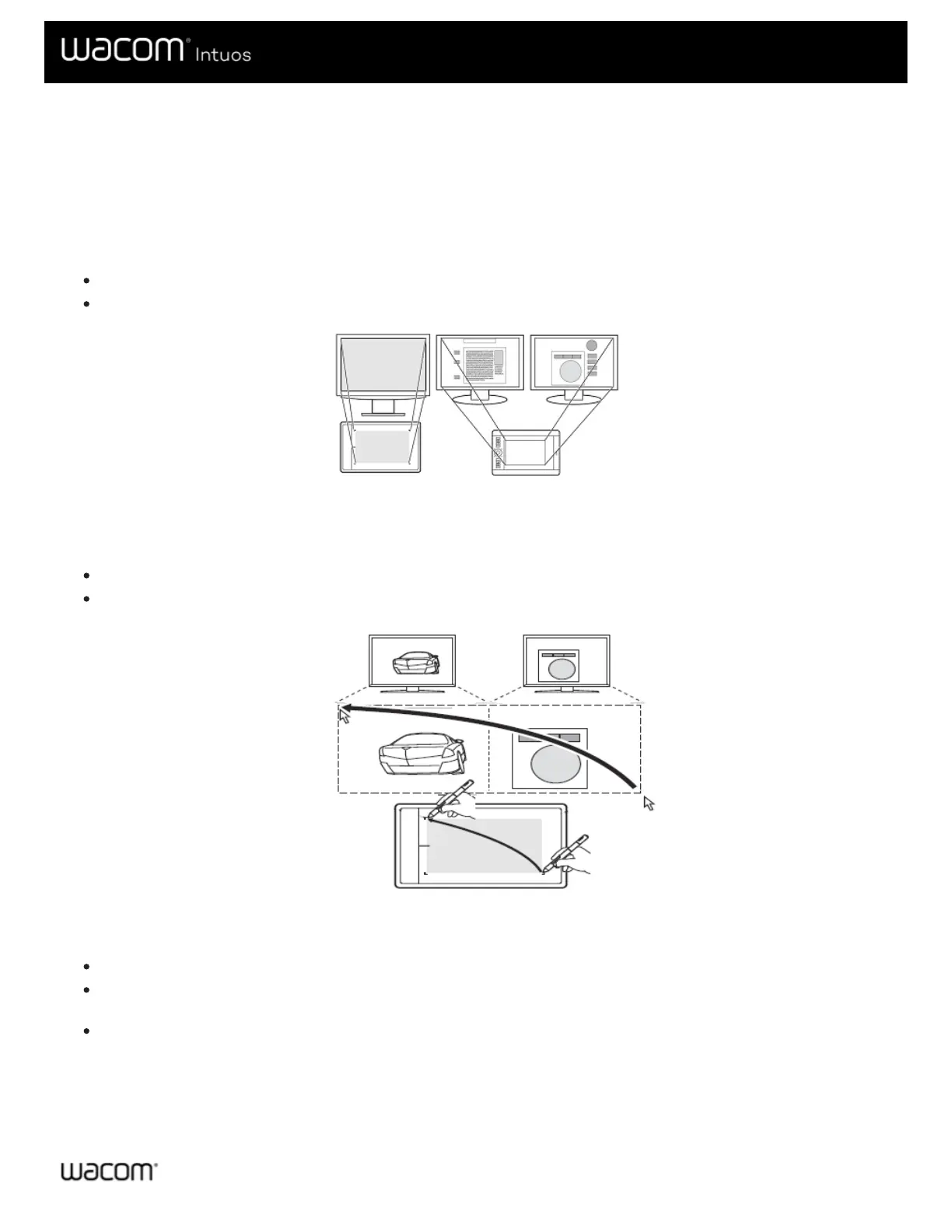
How does the tablet active area correspond to your monitors?
If you have one monitor attached to your computer, the active area maps to your entire monitor.
If you have multiple monitors attached to your computer, the active area maps to all monitors.
How does pen movement on the device correspond to what you see on the
monitor?
Wherever you place your pen on the tablet, the screen pointer moves to the corresponding point on the monitor.
The screen pointer on your monitor follows your movement across the tablet surface.
Tips for working in the tablet active area
You can customize how the tablet active area maps to your monitors on the Mapping tab in Wacom Tablet Properties.
You can toggle between working on all of your monitors at once to working on an individual monitor by using Display
Toggle.
If your device has touch functionality, you can also use gestures in the active area to perform specific functions, such as
tapping twice to double-click an item. You can view gesture options on the Touch tab in Wacom Tablet Properties.











 To Next Page