CURA WANHAO EDITION USER MANUEL REV.B 11 / 23
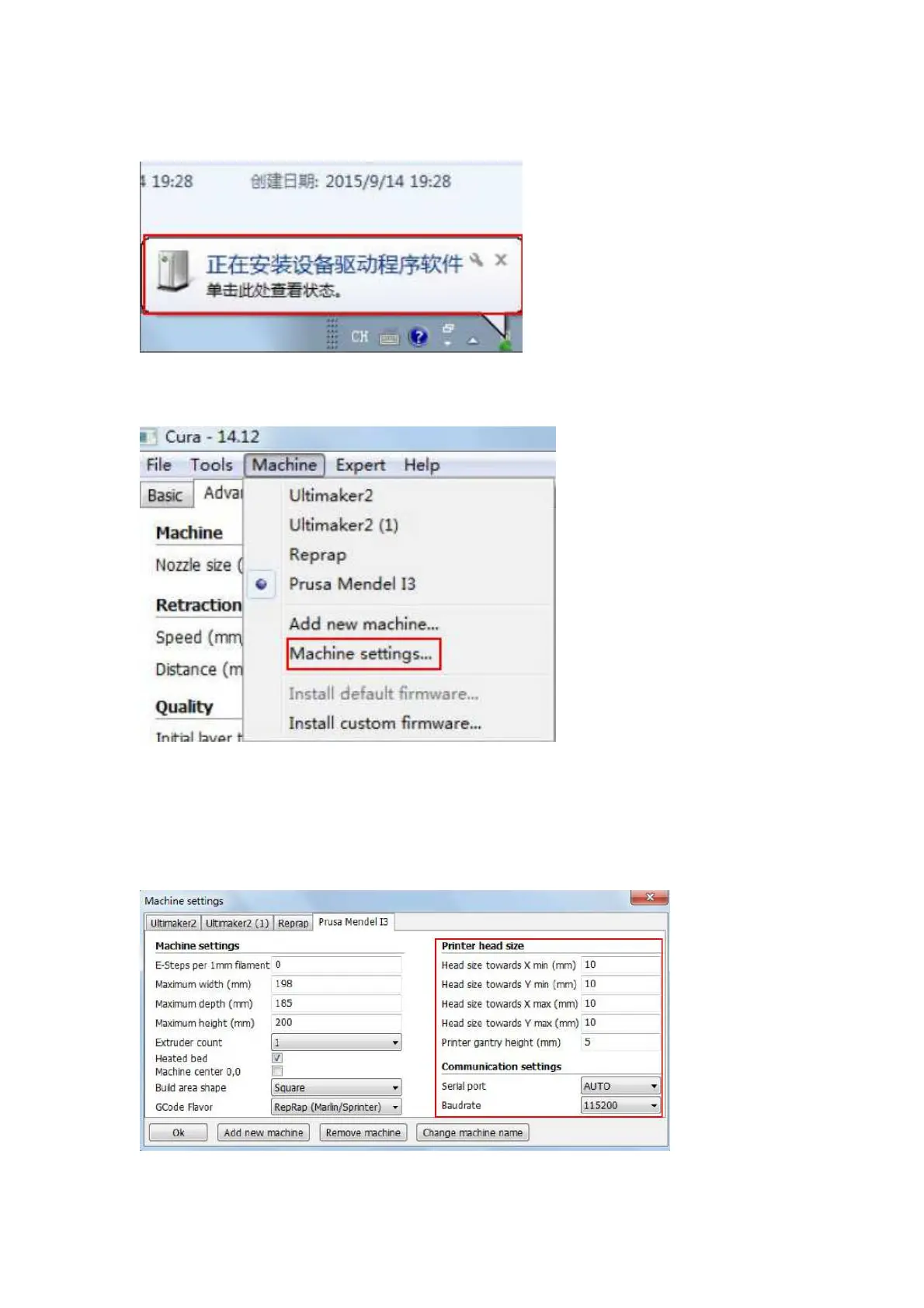
install the drive automatically. On the right bottom side of screen, the driver installation process
shall display.
Figure 1.12: printer link driver installation view
Navigate CURA to Machine—Machine settings
Figure 1.13: Machine setting button view
Define the head size as below.
Choose the connection port, such as Com9.
Choose Baudrate: 115200
After setting, click OK.
Figure 1.14: Machine setting















 To Next Page