Installation
1.5 Control Panel
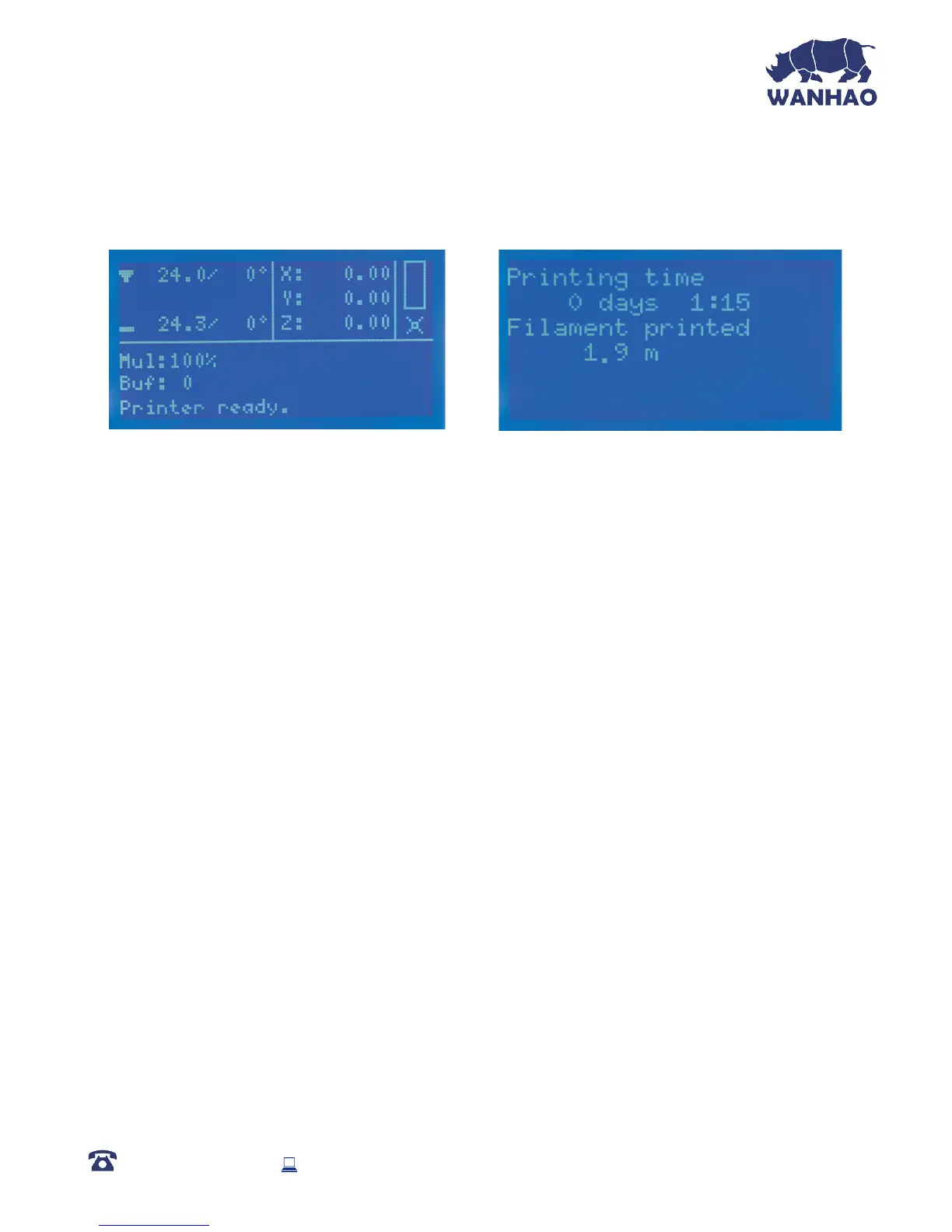
1.5.1 Main Display
Extruder Temperature: (Current °C / Set °C)
Print Bed Temperature: (Current °C / Set °C)
Extruder Co-ordinates: X, Y, and Z (mm)
Mul: Displays current speed multiplier. Default value is 100%
Buf: Displays current GCODE steps in the buffer
Message Display:
• Printer Ready: Printer is initiated and awaiting input
• Idle: Printer currently in idle state
• Stepper Disabled: Motors are disabled and free to be moved by hand
• Preheat PLA / Preheat ABS: Extruder and bed temperatures set and active
• Printing…: 3D Object is being printed, % displayed
Printing Time: Total time spent printing
Filament Printed: Total length of lament fed through the Extruder in metres
1.5.2 Menu Map
Quick Settings:
• Home All: Returns Extruder and bed to home position using stop switches
• Speed Mul.: Default 100%. Motor speed multiplier. Speed of the motor is
multiplied by this rate
• Flow Mul.: Default 100%. Printer ow multiplier. Amount of lament extruded is
multiplied by this rate
• Preheat PLA: Sets Extruder to 215°C and Heated Print Bed to 60°C
• Preheat ABS: Sets Extruder to 245°C and Heated Print Bed to 90°C
• Cooldown: Sets Extruder and Heated Print Bed to 0°C
• Disable Stepper: Disables all motors so they are free to be moved by hand
AFTER SALES SUPPORT
86-571-23290996
support@wanhao3dprinter.com
Model : Duplicator I3 V2
23














 To Next Page