7
Welcome
11
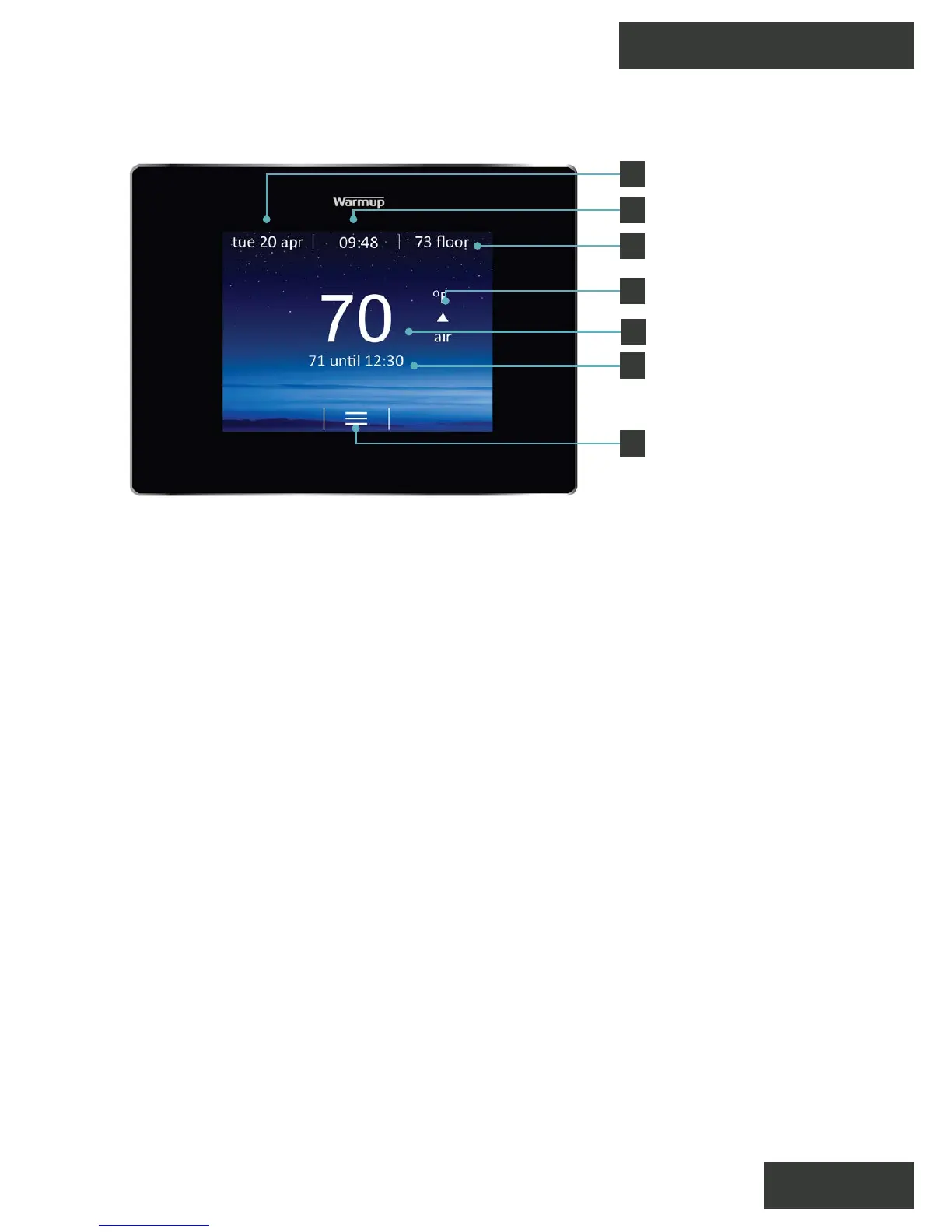
Once setup has been completed the thermostat will display the
home screen. If you do not press any button for 1 minute the 4iE
screen will dim and go into standby. To wake the 4iE just tap the
screen or press the lock icon.
Press the button on the bottom of the device to put the
thermostat in/out of standby mode. Hold the button for 3 seconds
to turn the heating o.
Menu
Time
Date
Air Temperature
Floor Temperature
Target Temperature
Heating Indicator
1
2
3
4
5
6
7



 To Next Page