EasyManua.ls Logo

Warmup 4iE - Programming

Warmup 4iE
24 pages
Print Icon
To Next Page IconTo Next Page
To Previous Page IconTo Previous Page
Loading...
Programming
12
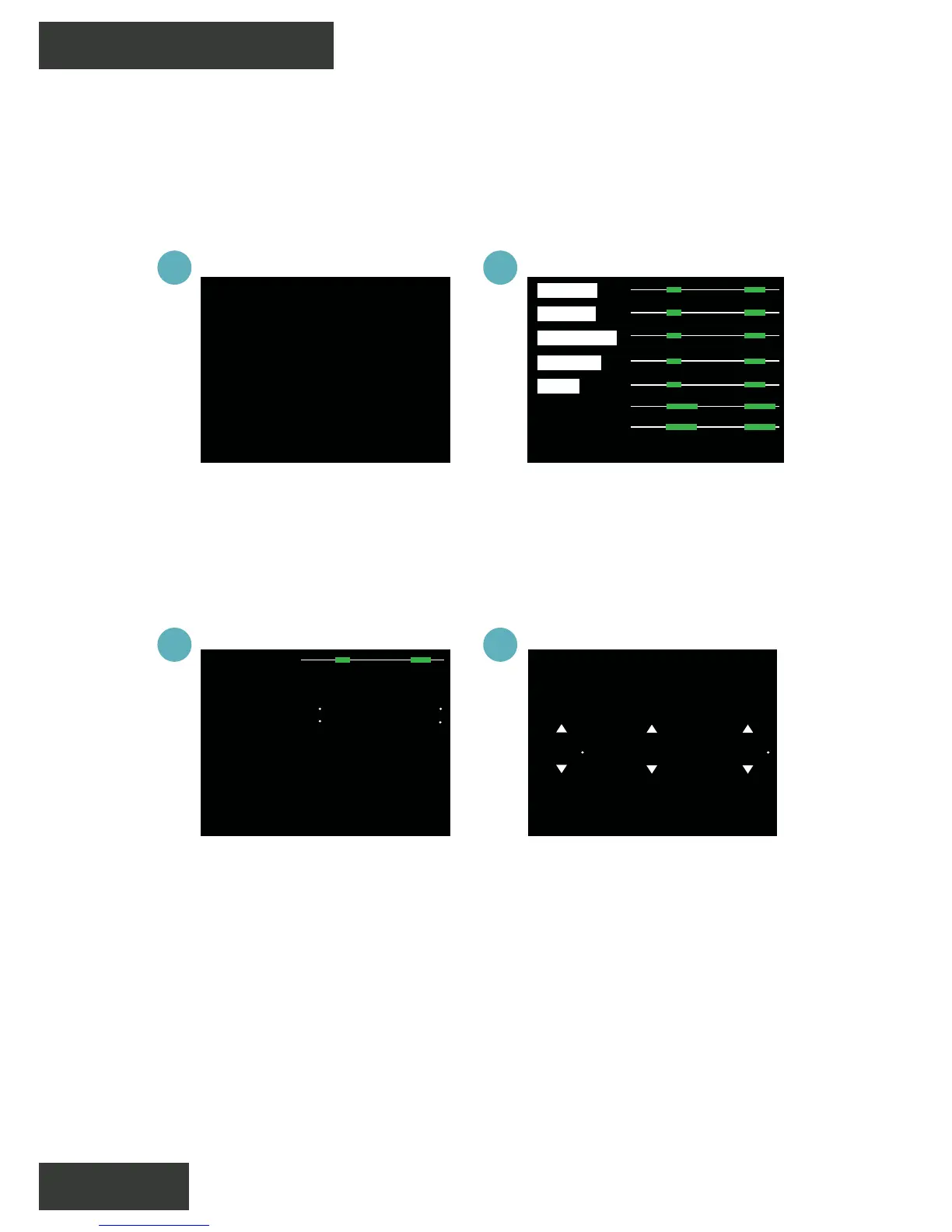
Custom Program
1
3
2
4
Press menu > Program
> Set program > Set
custom program
Select days of the week
you wish to program
Select period 1 to
begin programming
Program the times and
target temperatures of
your custom schedule
and press accept. Repeat
for additional periods
Setback Temperature - The setback temperature is defaulted
to 61°F. To alter the setback Press Menu > Program > Set setback
temperature.
Setting a Custom Program allows you to set comfort temperatures
at set times throughout the day.
cancel accepthelp
saturday
sunday
monday
tuesday
friday
thursday
wednesday
cancel delete accept
period 1
start
06:00 08:00
temp
end
70°F
back
set custom
program
select preset
program
set fixed
temperature
cancel help accept
add period
period 1
period 2
start
06:00
08:00
temp
end
70°F
07:00
11:00
70°F

Related product manuals