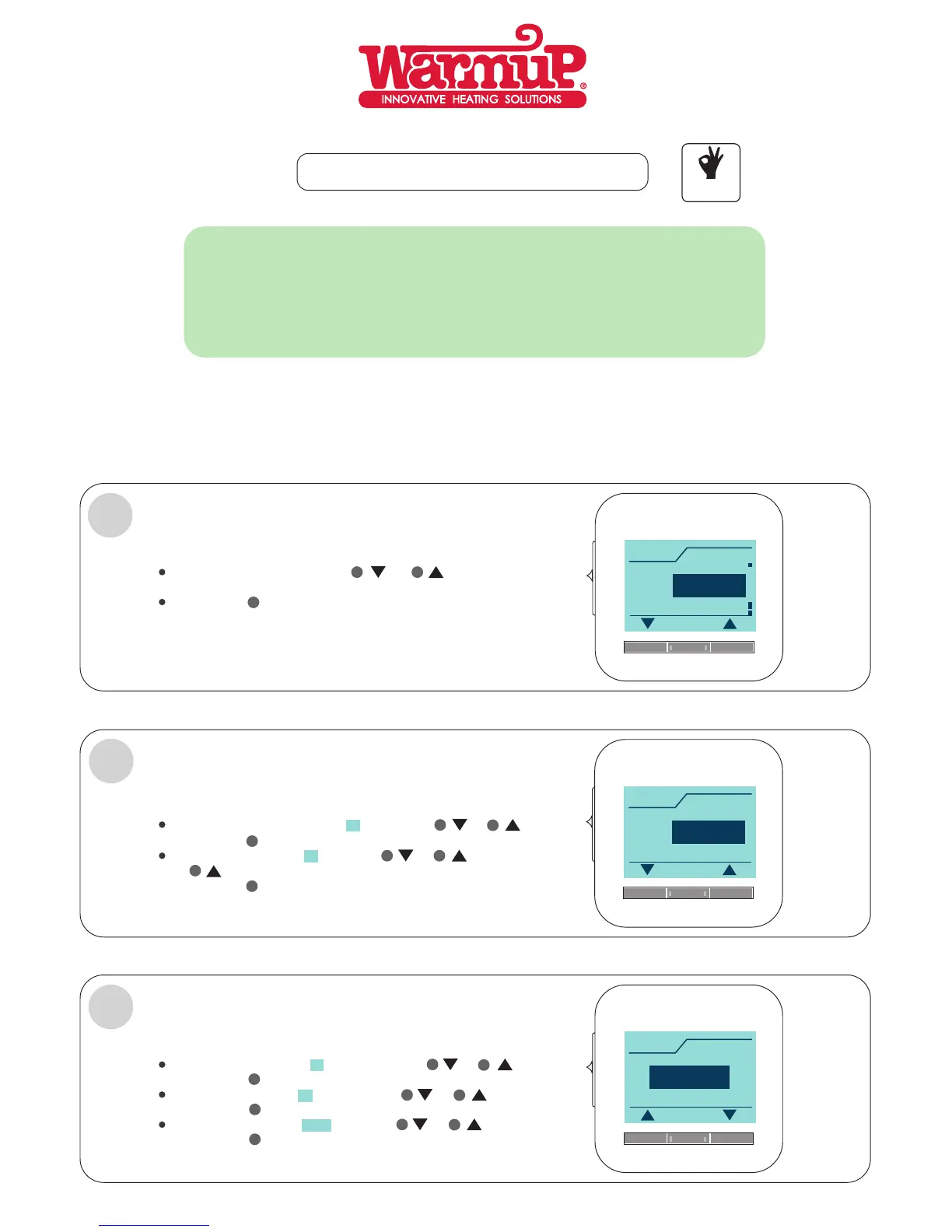
THE THERMOSTAT MENU WILL NOW AUTOMATICALLY
GUIDE YOU THROUGH THE PROCESS.
17: 10
Time
OK
1
English
Language
German
Dutch
OK
LANGUAGE MUST BE SET:
Choose the language using the or button
eg, (English).
3
Confirm with button.
OK
4
5
TIME MUST BE SET:
Page 2
Choose the current time hour (17 ) using the or:20
3
or button eg, (17.20).
4
Choose the minutes ( 20) using the or17:
3
confirm with button.
5
5
OK
confirm with button.
5
OK
4
21.09.2010
Date
OK
confirm with button.
OK
Choose the month ( 09 ) using the or21. .2010
3
4
confirm with button.
5
OK
Choose the year ( 2010) using the or21.09.
3
4
confirm with button.
5
OK
4
5
Choose the actual date (21. ) using the or09.2010
3
ACTUAL DATE, MONTH AND YEAR MUST BE SET:
2
THE LUXURY 2 THERMOSTAT MAY BE USED ETHER AS A
FLOOR MONITORING THERMOSTAT.
AIR MONITORING THERMOSTAT.
DUEL: FLOOR AND AIR MONITORING THERMOSTAT.
OR A REGULATOR.
FIRST TIME SETTING.
3
EASY TO
USE



 To Next Page