CUBE Manual Page 31 - Revision: 5-24-2017
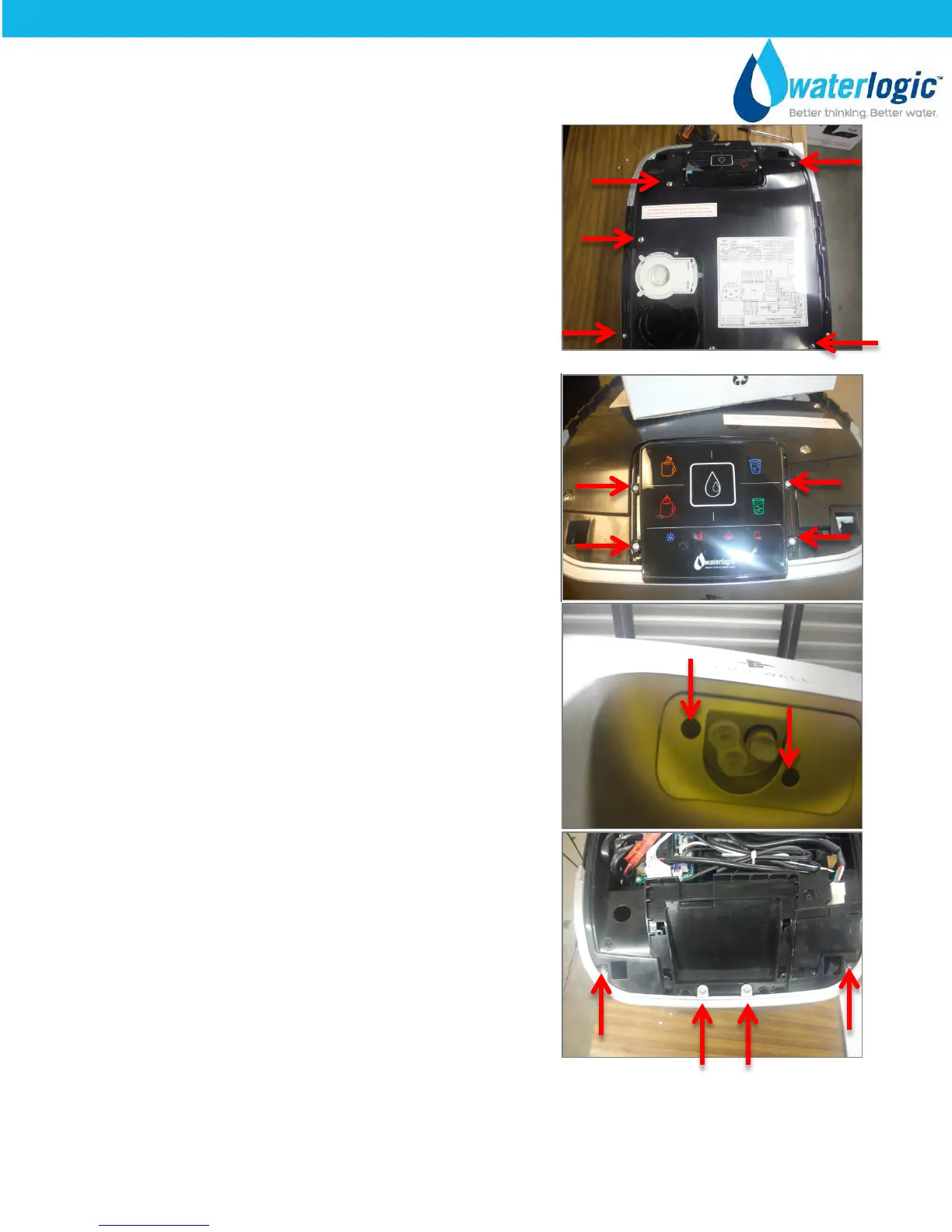
With a Phillips Head Screwdriver, remove the five
screws on the electrical cover plate.
Remove the Electrical Cover Plate.
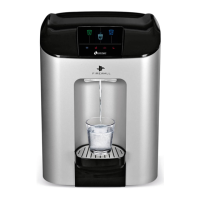
With a Phillips Head Screwdriver, remove the four
screws that attach the Selection - Dispense PCB to
the Mainframe.
Remove the Selection - Dispense PCB.
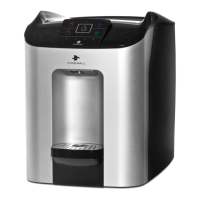
With a Phillips Head Screwdriver, remove the two
screws from the faucet plate.
Remove Faucet Plate.
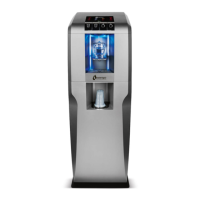
With a Phillips Head Screwdriver, remove the four
screws that attach the Front Panel to the mainframe.
Remove Front Panel.


 To Next Page