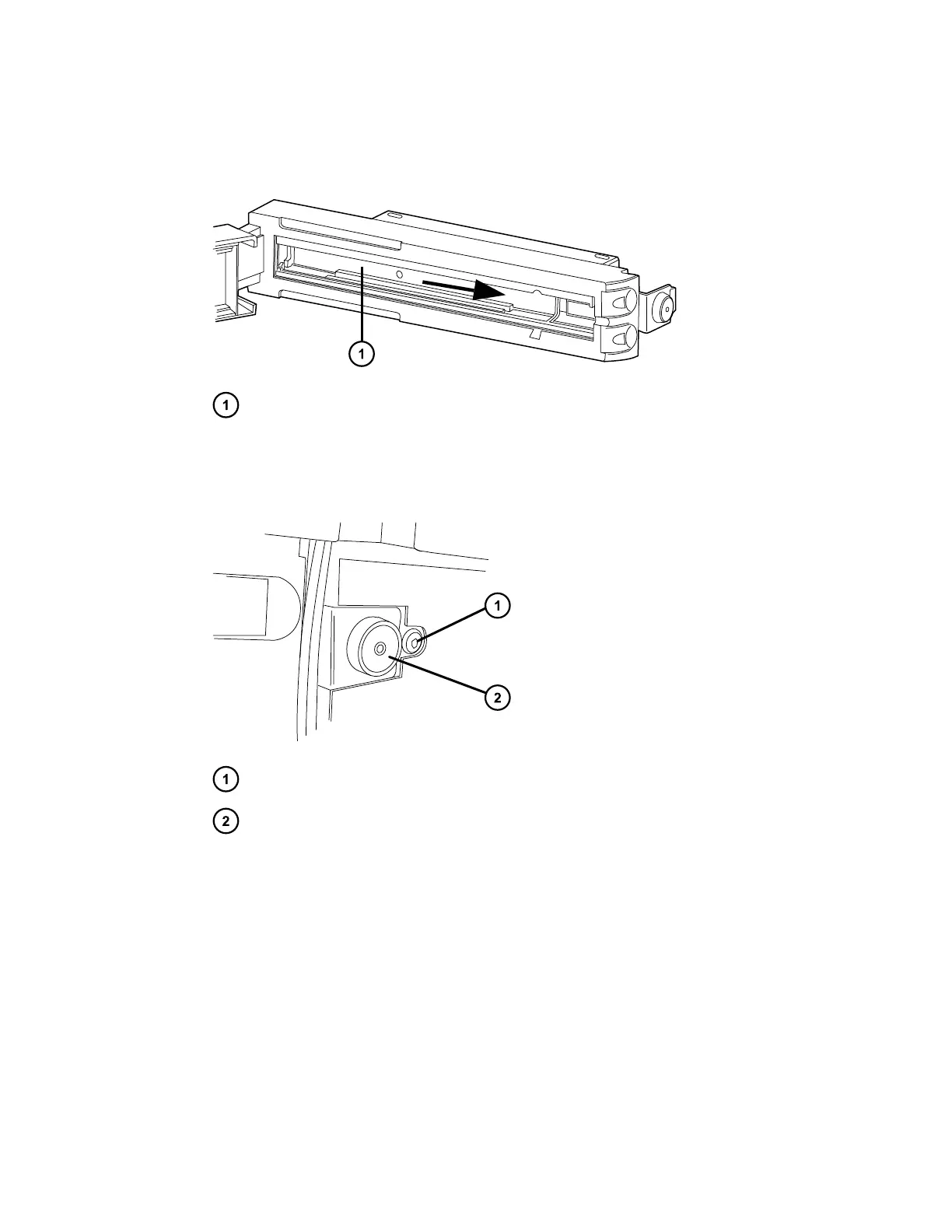
11. Slide the column-compartment tray to the right and insert the APH retainer into the left-
hand APH control port.
Figure 2–7: Sliding the column-compartment tray
Column-compartment tray
12. Using the T-20 TORX driver, remove the TORX screw from the right-hand side of the
column compartment, behind the eCord receptacle.
Figure 2–8: TORX screw behind the eCord receptacle
TORX screw on right-hand side of column heater
eCord receptacle
13. Gently pull the right-hand side of the column heater toward you, and then slide it to the
right to unseat the tab on the left-hand side of the column heater from its rear enclosure.
December 4, 2019, 715005052 Version 02 (previously released as Rev.B)
Page 25



 To Next Page