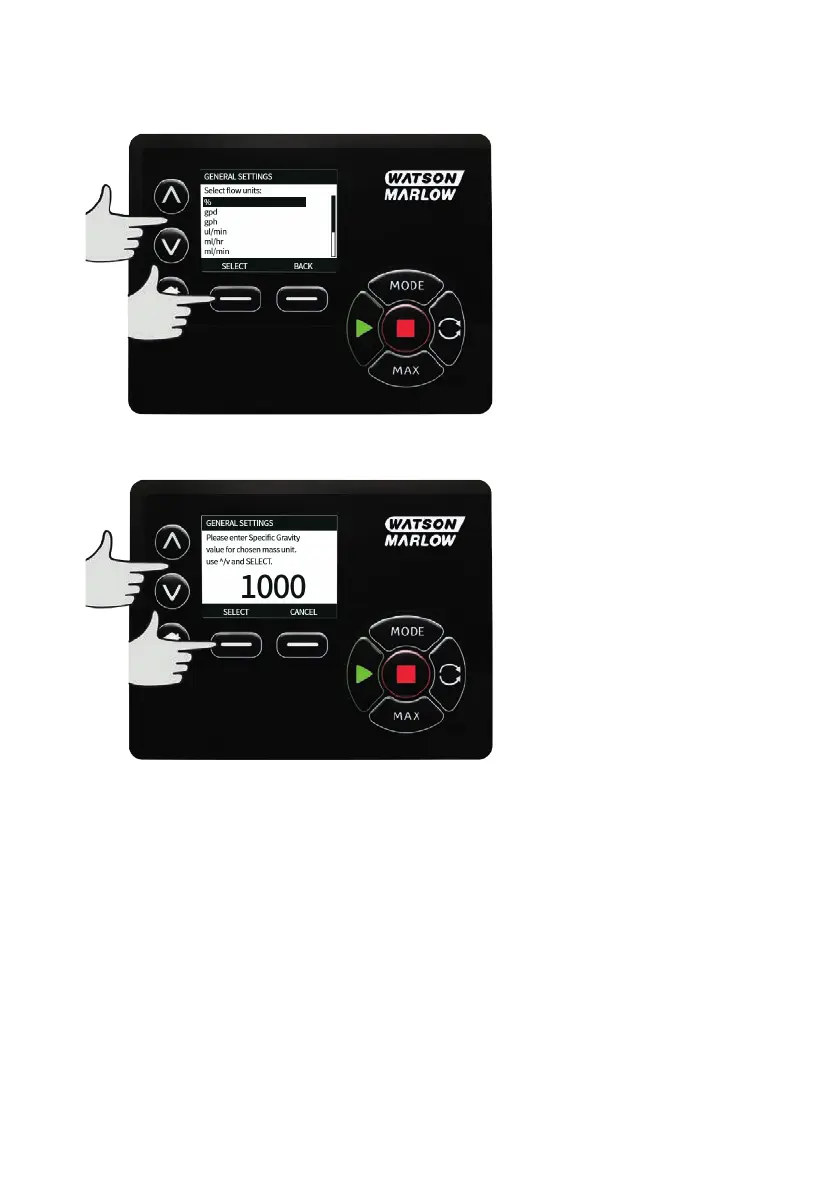
Use the ∧ /∨ keys to move the selection bar over the required flow unit, then press SELECT. All flow rates
displayed on screens will now be in the chosen units.
If a mass flow unit is selected, the specific gravity of the fluid must be entered. The following screen is
displayed.
Use the ∧ /∨ keys to enter the value of the specific gravity, and press SELECT.
m-730un-en-08.1 89









 To Next Page