Wavecom Instruments Fully Integrated Test N Print Unit - User Manual
37
Loading the media
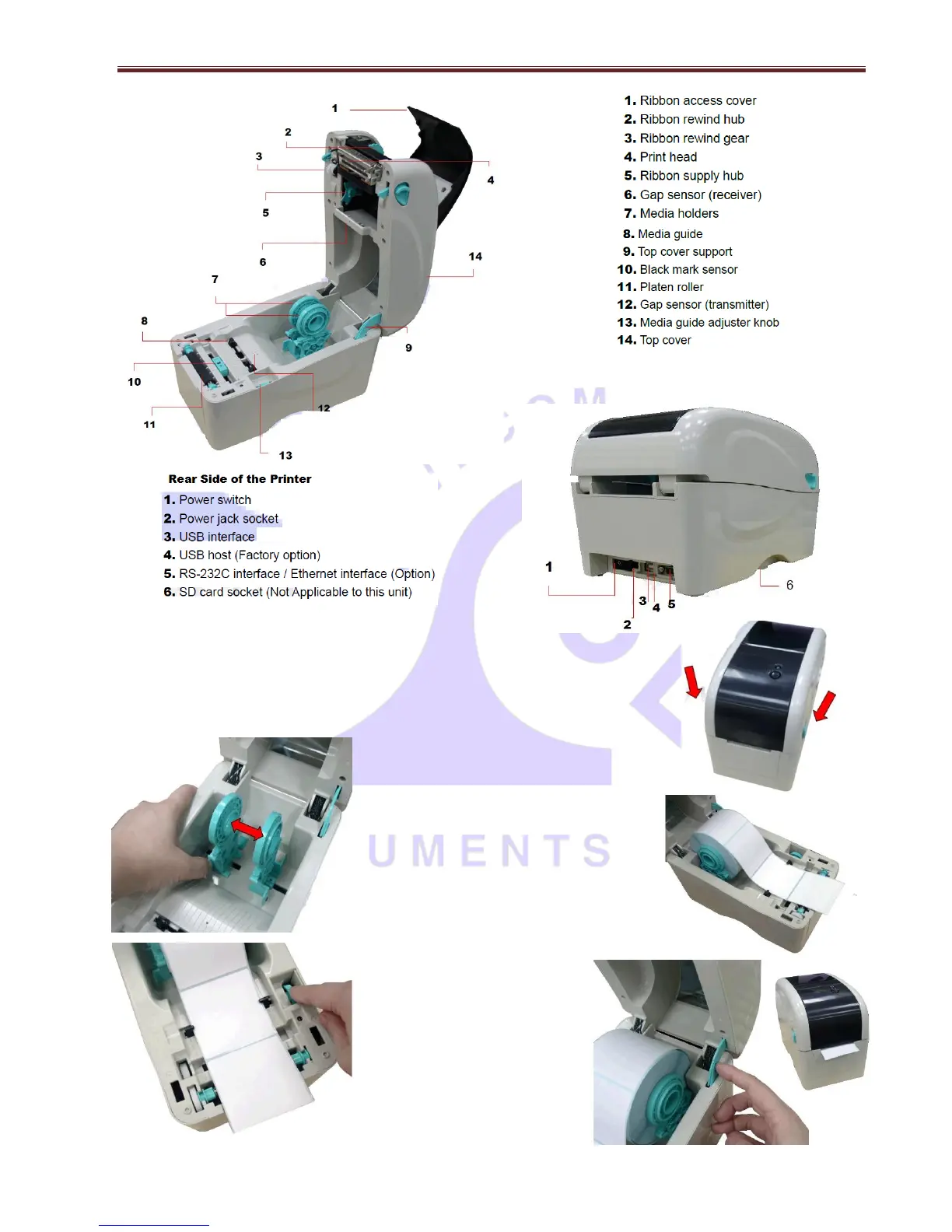
Open the printer top cover by pulling the tabs located on each side towards the front
of the printer, and then lift the top cover to the maximum open angle. →
←Separate the media holders to the label roll
width.
Place the roll between the holders and close
them onto the core. Place the paper, printing
side face up, through the media guides &
media sensor. Place the label leading
towards the edge onto roller. →
← Move the media guides to fit
the label width by turning the
media guide adjuster knob.
Hold the Top cover and press the
top cover support to disengage
the top cover support with lower
inner cover. Gently close the top
cover. Make sure the cover
latches securely. →


 To Next Page