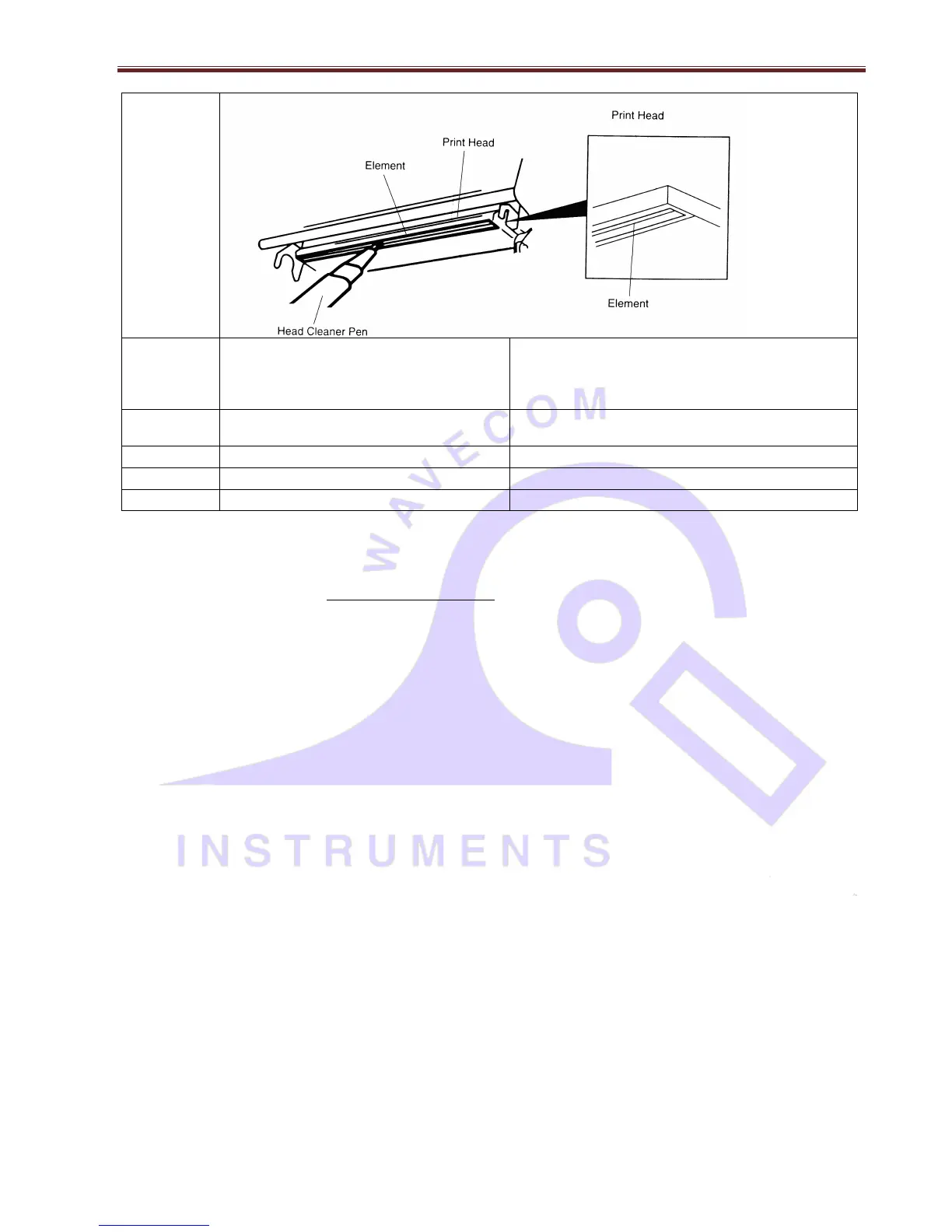
1. Turn the power off.
2. Rotate the platen roller and wipe it
thoroughly with 100% ethanol and a cotton
swab, or lint-free cloth.
Note:
Do not touch printer head by hand. If you touch it accidently, please use ethanol to clean it.
Please use 100% Ethenol. DO NOT use medical alcohol, which may damage the printer head.
Regularly clean the print head and supply sensors when changing media to keep optimal performance and extend
printer life.
The maximum printing ratio per dot line is 15% for this printer. To print the full web black line, the maximum black
line height is limited to 40 dots, which is 5mm for 203 DPI resolution printer and 3.3mm for 300 DPI resolution printer.


 To Next Page