CHAPTER 4 COMMUNICATION 47
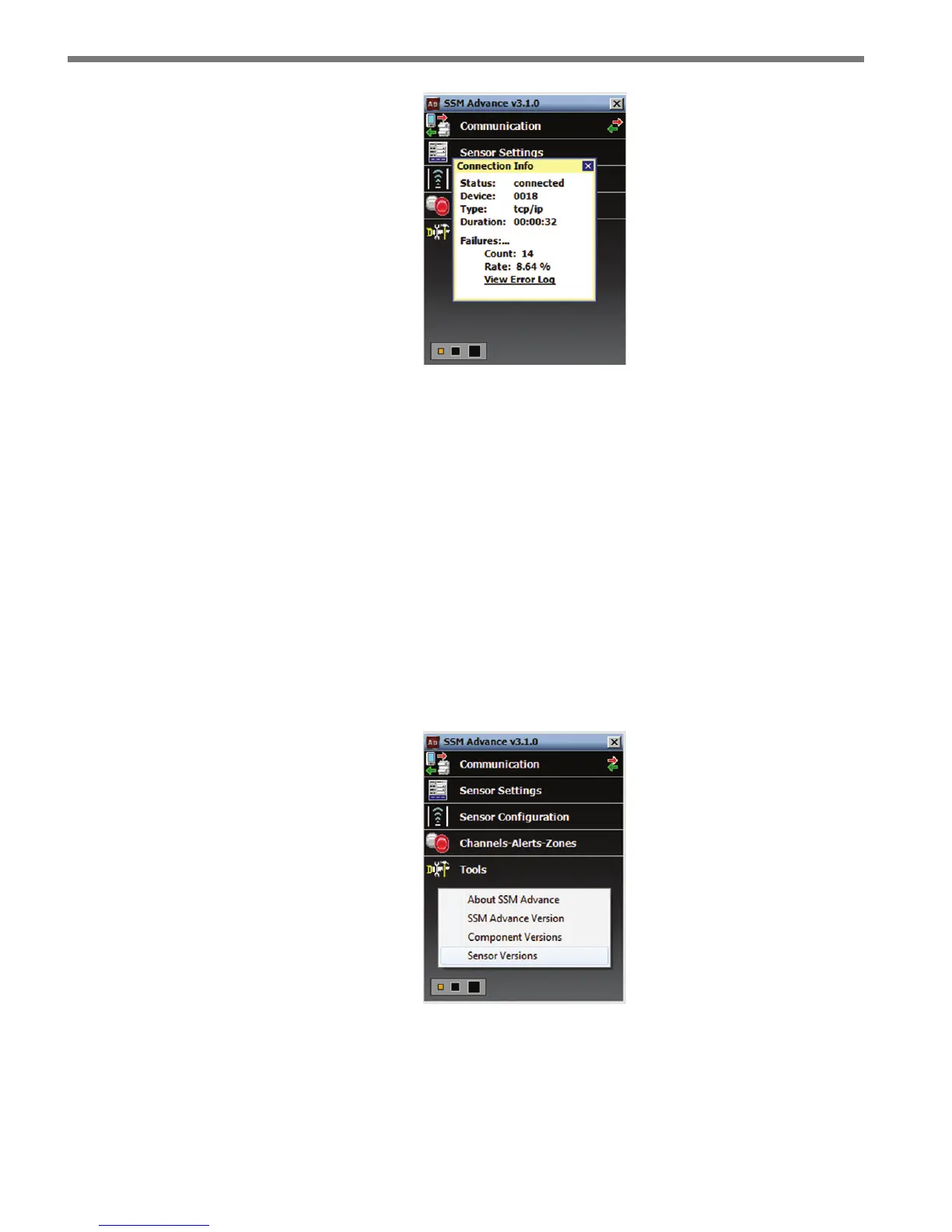
Figure 4.11 – Connection Info Screen
Below is a list of the information available on the Connection Info screen:
Status – Shows that you are connected.
Device – Shows the Subnet and sensor ID.
Type – Shows the type of connection and baud rate.
Duration – Shows how long you have been connected.
Failures – Shows the amount of failures during the connection, the percentage rate of
failure and a link to the Communication Error Log.
Check Hardware
After you have connected to a sensor, you can check its hardware type by right-clicking
below the Tools menu option and selecting Sensor Versions.
Figure 4.12 – Check Sensor Version
e two current hardware types are SmartSensor Advance and SmartSensor Advance Ex-
tended Range.



 To Next Page