5Startup
WU017834 Rev. 05 July 2023 Wayne Fueling Systems | Dover Fueling Solutions 35
5.3 CONFIGURATION OF BASIC PARAMETERS USING THE INFRARED REMOTE CONTROL (IRC)
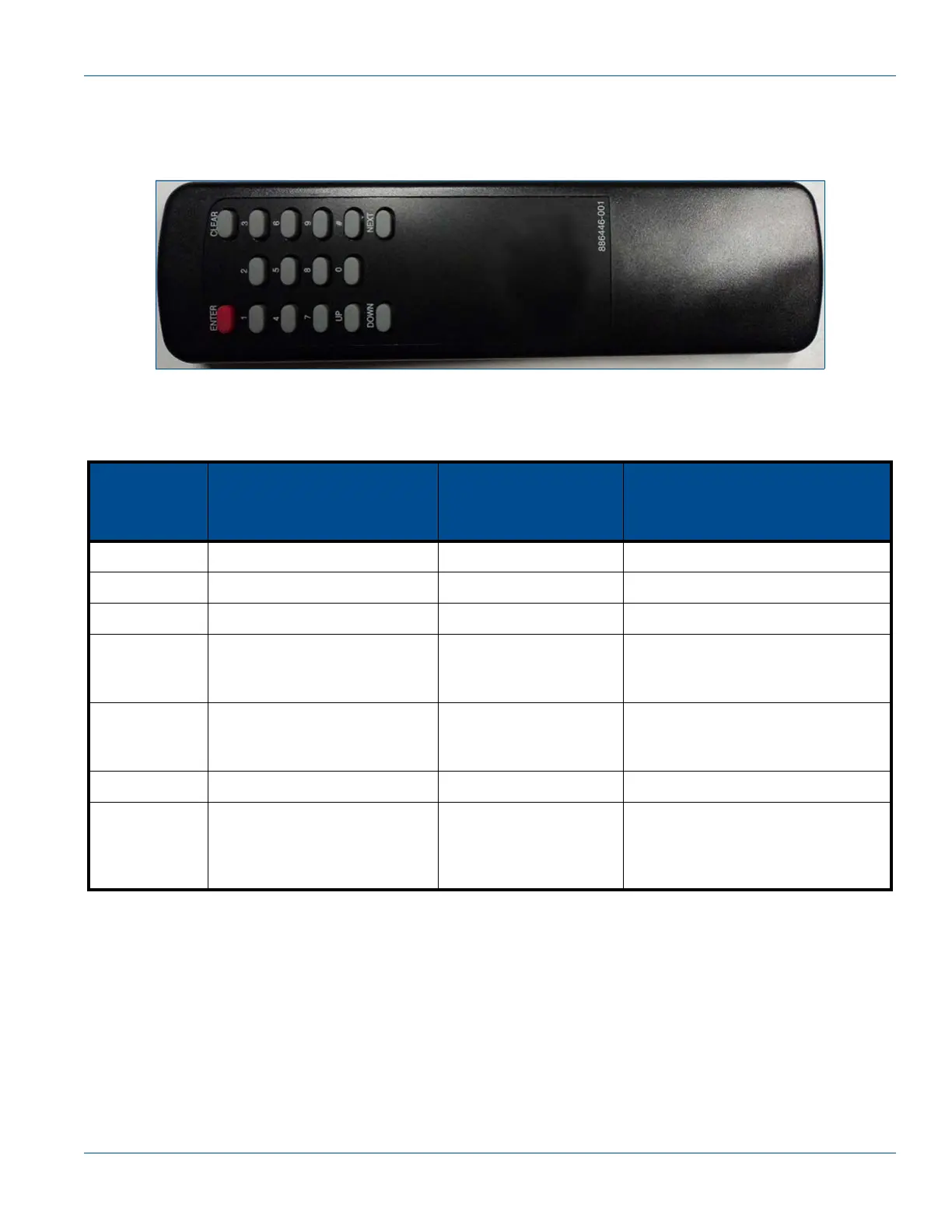
The Infrared Remote Control (IRC) is used to access dispenser Functions/Sub-Functions and Diagnostics
(statistics). When held close to the infrared eye located in the Sales Volume Display, the IRC can be used to
set Unit Prices, Fueling Point IDs, Blend Ratios, and read Electronic Totalizers.
Figure 5-3 IR Remote Control
Remote Control button descriptions are given in the following table.
When in Statistics Mode (S - - or S “xx” on Unit Price Display), the above commands work the same way.
Table 5-1 IR Remote Control Button Functions
IRC Keys
When F - - is shown on
the Unit Price Display
When F 'xx' is
shown on the Unit
Price Display
When xx.xx sub-function is
shown on the Unit Price
Display
NEXT F00 Next higher function # Next higher sub-function level.
UP S - - (statistics mode) Next higher function # Next higher sub-function level.
DOWN S - - (statistics mode) Next higher function # Next higher sub-function level.
ENTER
Pressing 3 times will exit con-
figuration mode without saving
Sub-function level
(xx.xx)
Back to function level (except after
entering new value, it displays the
change)
CLEAR N/A F - -
Back to function level (except while
entering new value can be used to
erase last digit typed)
# N/A N/A Must use this key to enter new data
digits [0-9]
After pressing ENTER, will
take you to the Function level
of the digits entered
After pressing ENTER
will take you to the
Function level of the
digits entered
When clearing the display with the
“#” key first, it will change the value
of the sub-function to the digits
entered after pressing ENTER


 To Next Page