5Startup
52 WU017834 Rev. 05 July 2023 Wayne Fueling Systems | Dover Fueling Solutions
5.16 SECURITY PRECAUTIONS
5.16.1 Disable Standalone Mode Operation
Once the dispenser is switched over to the POS Control System, Standalone Operation should be disabled.
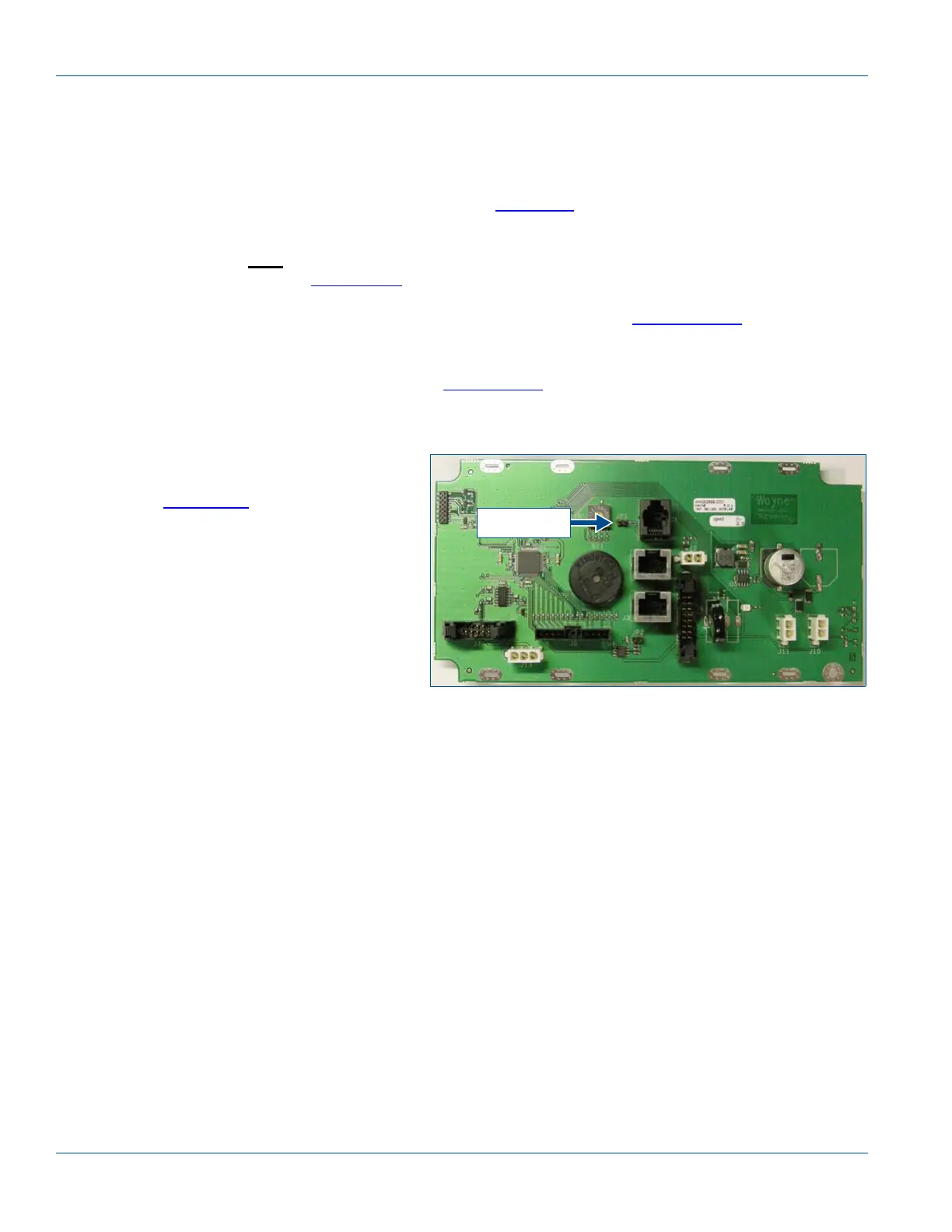
As an extra security measure, the JP1 jumper that enables Standalone Mode should be removed. The
jumper is located on the Sales Display Board as shown in Figure 5-6
.
IMPORTANT! On dispensers with iGEM software version 83.05 or later, failure to remove the standalone
jumper prior
to changing to serial mode will disable the dispenser and show “Closed” on the
display. Refer to Section 6.9.1
on page 62 for instructions to recover from this scenario.
1. Disarm the Smart Secure Access (SSA) sensors, if equipped. Refer to Section 6.10.1 on page 64 for
instructions if the site is configured to require a OneShot password.
NOTE! When SSA is enabled with Maintenance Mode password option, the sensors are disarmed by
entering Maintenance Mode. See Section 6.10.2
on page 65 for more information.
2. Open the Service Door.
3. Remove the JP1 jumper on the Sales Display Board.
4. Access the Filling Mode Function F01 and
set sub-function to “01” for Serial Mode.
Refer to Section 6.9
on page 61 for step-
by-step instructions.
5. Close and lock the Service Door.
6. If equipped, re-arm the Smart Secure
Access (SSA) system with a OneShot
password.
NOTE! When enabled with the Main-
tenance Mode password
option the SSA sensors will
automatically re-arm one min-
ute after the service door is
closed.
5.16.2 Change iGEM Passwords
For additional security, the iGEM passwords should be changed from the default settings to prevent unauthor-
ized access to the dispenser. See the Wayne iGEM
™
Computer Programming manual (P/N WM048524) as
needed. Use function F33 to change the following passwords:
IMPORTANT! The Weights and Measure password (Function 33.03) MUST NEVER BE CHANGED! Weights
and Measures mode does not allow access to any programming. It is a “view-only” mode to
provide access to regulatory audit information. If the Weights and Measure password has
been changed, reset it to a blank password by going into Function 33.03 then select “#” then
“ENTER” then select “#” then “ENTER” again then Save your changes upon exiting program-
ing. Verify that the blank password is in place by entering into the Weights & Measure mode
without any password required.
● .00: Service Engineer Password
● .01: Station Manager Password
● .02: Station Operator Password
Figure 5-6 Sales Display Board with JP1 Jumper
JP1 jumper


 To Next Page