33
3
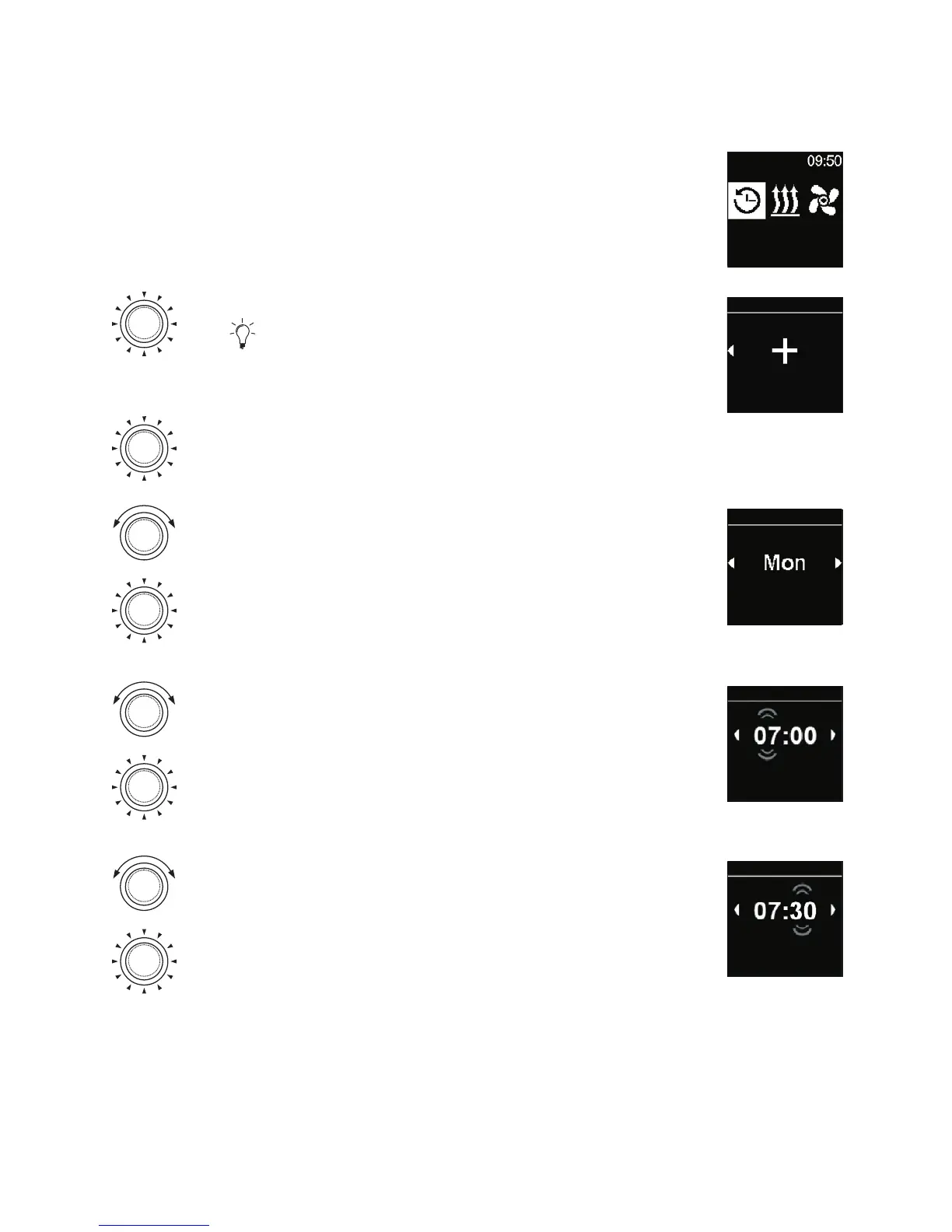
“Timer” symbol has been selected in the main menu.
Timers
Press the control knob.
“Add timer” message (if no timer has been
saved yet) appears in the display.
Press the control knob in order to add new
timer.
Add timer
Timers
Turn the control knob in order to choose
”Day”.
Press the control knob in order to confirm
selection.
Day
Timers
Turn the control knob in order to choose the
start time of “an hour”.
Press the control knob in order to confirm
selection.
Start time
Timers
Turn the control knob in order to choose the
start time of “a minute”.
Press the control knob in order to confirm
selection.
Start time
Timers



 To Next Page