ASSEMBLY
HOW TO INSTALL THE SEAT
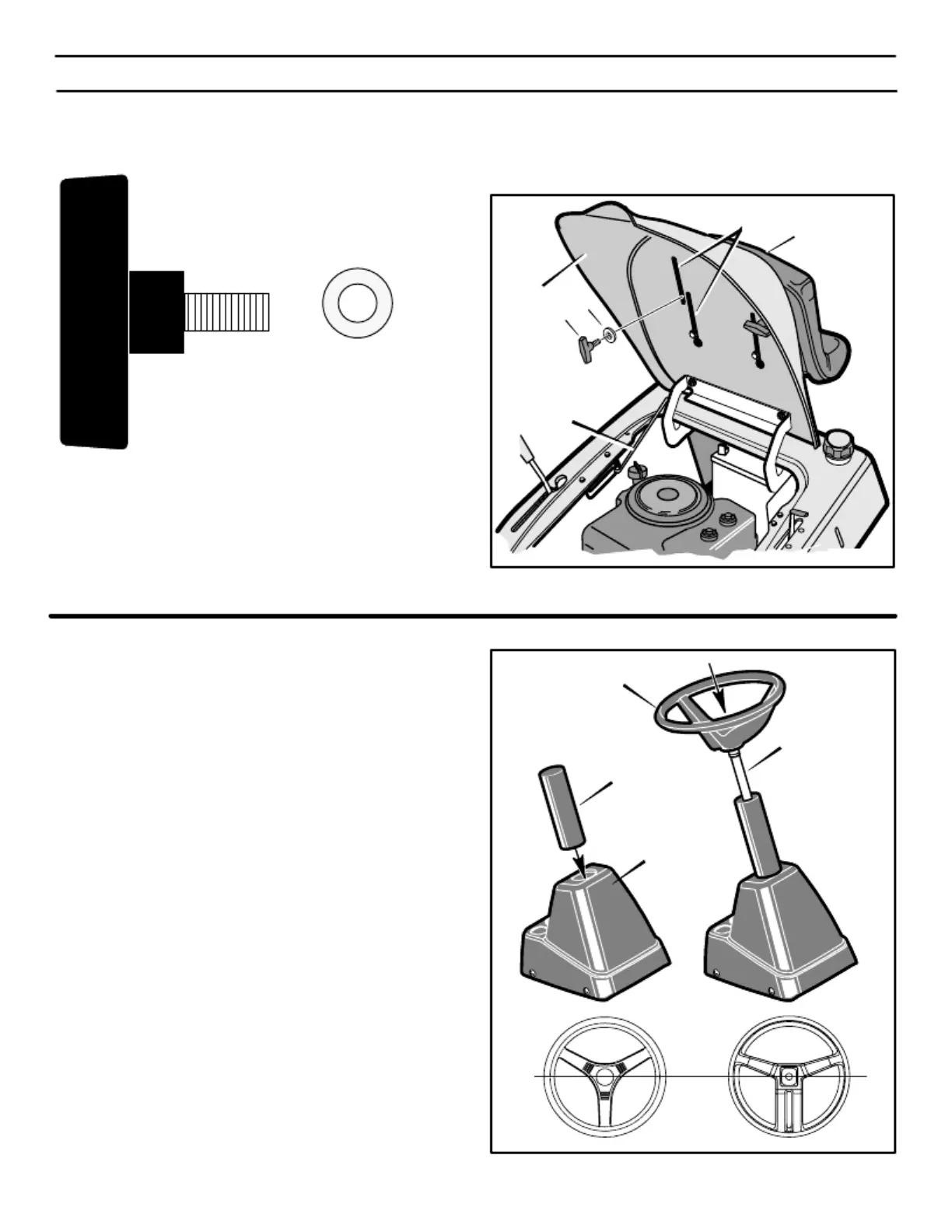
Use the fasteners shown below to install the
seat
.
4.
Check the operating position of the seat. If the seat needs to
be adjusted, loosen the two wing bolts (A). Slide the seat
forward or backward along the seat adjusting holes as shown.
Tighten the wing bolts (A).
Seat
Adjusting Hole
Seat
Seat Support
A
B
(A)
1001054
(B)
17x47
Seat Support Rod
1.
2.
Carefully remove the plastic bag from the seat.
Raise the seat support and secure in the UP position with the
seat support rod.
3.
Align the holes in the seat to the holes in the seat support
(Figure 1). Fasten the seat to the seat support with the
fasteners as shown.
Figure 1
HOW TO ASSEMBLE THE STEERING WHEEL
Attach the steering wheel as follows:
Steering Wheel
1.
Make sure the front wheels point forward.
2.
3.
Slide the tube into the console (Figure 2). Make sure the end
of the tube fits over the steering bushing.
NOTE: Before attaching the steering wheel, make sure
that the front wheels point forward and are straight. The
steering wheel will have either 3-spokes or 4-spokes. For
proper alignment of the steering wheel, see Figure 2.
Slide the steering wheel and steering post into the tube and
console. Push on the steering wheel. The steering post will
lock onto the pinion gear. Pull on the steering wheel. Make
sure that the steering post is locked in place.
Tube
Console
Steering Post
Straight
Figure 2


 To Next Page