i16 Manual Page 34 - Revision: 2-09-2023
8. Remove the White Ice Holding Basket from the unit and hand wash.
STEP 3: Descaling Operation
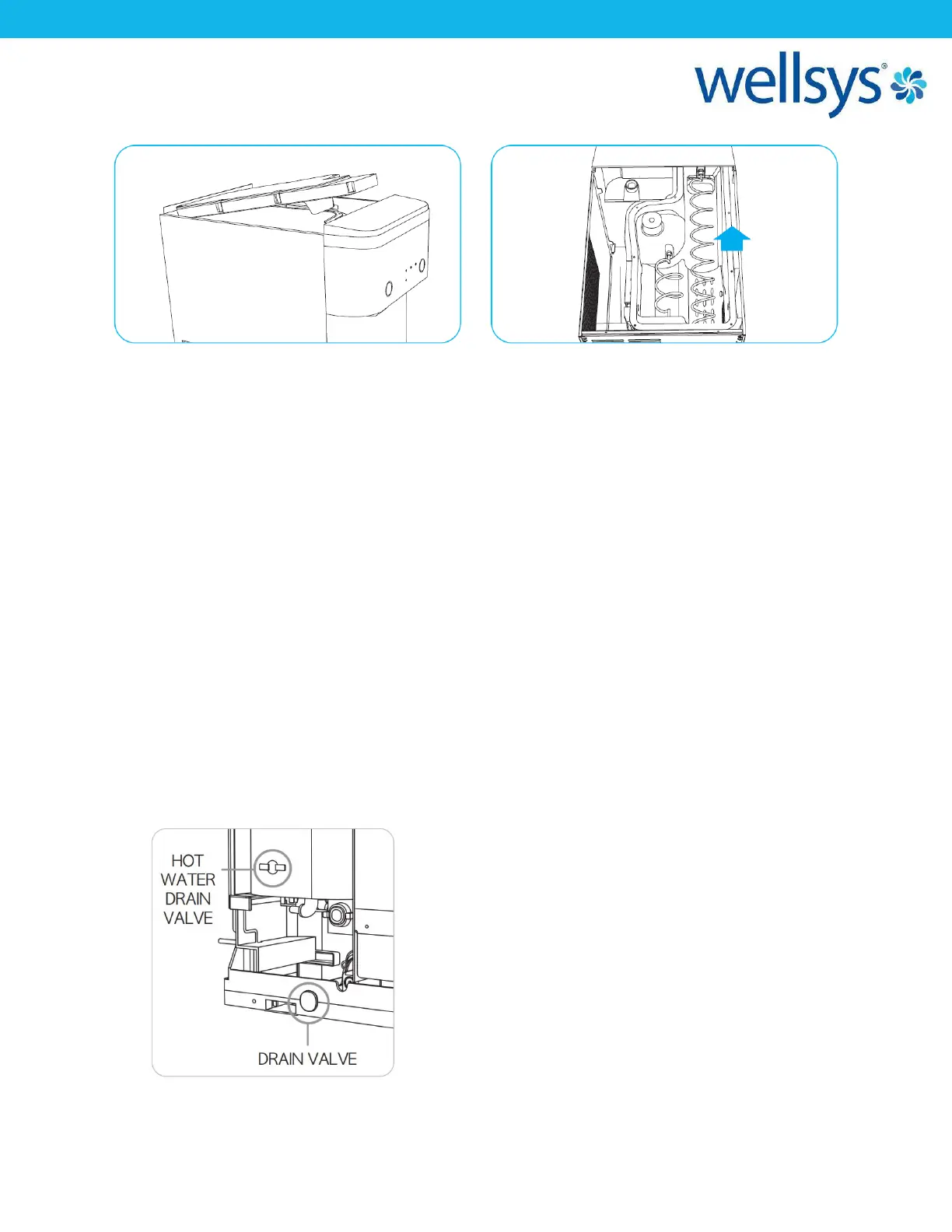
1. Pour prepared Cleaning Solution into the Ice Tank. *Be careful not to overflow the solution
through the ice door or fill to the Air Filter Connection port.
2. Enter the “Cleaning Mode” by pressing the Hot Water Selection Button for 5 seconds.
3. Wait 30 minutes to remove the scale.
*The “Cleaning Mode” will automatically stop after 30 minutes, but will stay idle on the
“Cleaning Mode.”
*For a unit that has not had the scale removal operation performed for more than 6
months, or the product has been excessively used then it is recommended to wash for 60
minutes.
4. Connect the drain hose to the Drain Valve (located at the bottom and front side), and then
proceed to drain completely all cleaning solution. Once completed, remove the drain hose.
5. Open the Pink Hot Water Drain Valve Cap and connect the drain hose to the Hot Water
Drain Valve, and then proceed to drain completely all cleaning solution. Once completed,
remove the drain hose and replace the Pink Hot Water Drain Valve Cap to its original
location.


 To Next Page