Edit Mode
• This mode is to edit any item in a bill before print.
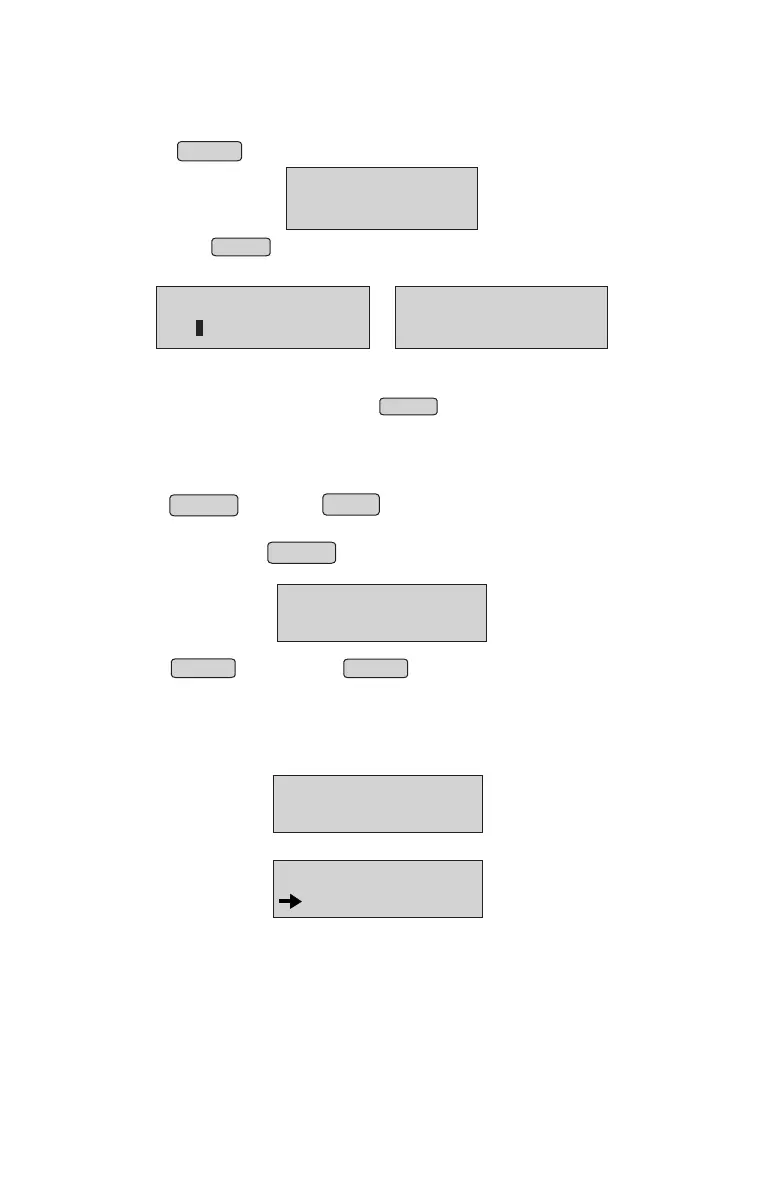
Press ENTER in Browse mode to edit the item and the cursor will reappear
• By pressing ENTER button continuously, you can go to quantity and price.
It can be edited at the same time
NOTE:* Item name cannot be edited.
• To change the quantity / rate / discounts, move the cursor to the
corresponding position by pressing ENTER and then follow the
same steps as billing mode.
• After the modificaion of a coomplete after entering the quantity
/rate/discounts, it goes back to browsing mode (Cursor will appear again)
• Press CANCEL and then PRINT , it will print the bill
• To delete an item completely, keep the cursor at the item name
position and press CANCEL .A warning message is asked for
confirmation.
• Press ENTER to confirm or CANCEL to abort deleting
COCONUT OIL
1.000 Lt30.00
COCONUT OIL
1.5 Lt 30.00
COCONUT OIL
2 Lt 30.00
DELETE ITEM?
ETR:YES CCL:NO
Duplicate Billing:
• Press PRINT key from Home Screen or Item No entry mode, panel will display;
BILL REPRINT
BILL NO: _
• Enter a valid Bill No and press ENTER key, panel will display;
BILL REPRINT
CURRENT DAY
• Select Current Day or Previous Day and press ENTER key.
9
As soon as we press Enter key, a duplicate bill will be printed.
•



 To Next Page