MENU STRUCTURE For BP JOY PRO
Menu Options are given below
Ø Restore Defaults
v HEADER/FOOTER
Ø Edit Header
Ø Edit Footer
Ø Set Time & Date
·
Tamil
· English
Ø
Language Option
Ø
Token Print
MACHINE SETTINGS
Ø Factory Reset
· Reset Bills and Reports
Reset all Settings
·
v USER CONFIG
Ø Add User
Ø Edit User
v UPLOAD TO USB
v SELF TEST
Add New Items through Panel
• From Item Database, select “ADD ITEM” option
(Refer Menu structure for more details).
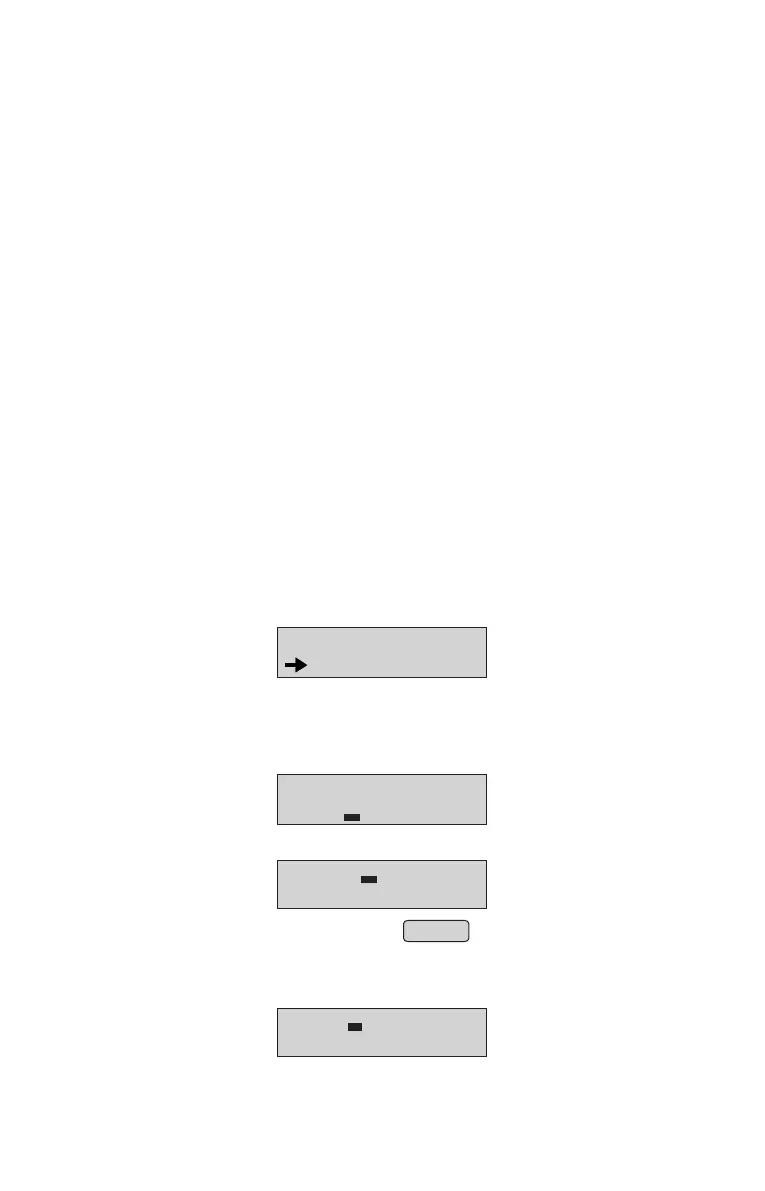
• Panel will display
• Enter the new item name and press ENTER
6.0 ITEM DATABASE
• Press MENU key & select item database option and press ENTER key.
MENU
ITEM DATABASE
ADD ITEM DB MODE
NO :
• Enter Item Number(max- 1100) & press ENTER key LCD will display
NAME:
UNIT:
NOTE: Maximum 16 character are allowed for Item Name.
• Select the desired unit from the list of 15 units available using or Key.
↑
↑
Press ENTER key, display will look like;
RATE:
TAX %:
•
Enter Rate & press ENTER key, display will look like;•
12



 To Next Page