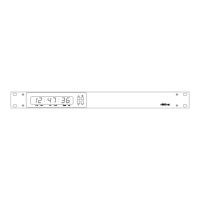
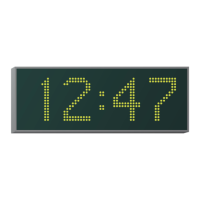
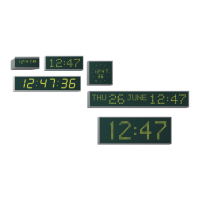
4850 / 4860 Master Clock
Operating and Installation Instructions
Issue 2.0
2-3
Frequently Asked Questions
Will the 488HS / 488B GPS receiver system work
internally?
Both the 488HS and the 488B GPS receiver systems are
designed for external mounting. We would recommend
positioning the post-mounting 488HS GPS system on the roof
of the building with a clear view of at least 75% of the sky.
The post mounting antenna supplied with the 488B GPS
system should be mounted in a similar position. The decoder
box supplied with the 488B GPS system should be mounted
within 5 metres of this (either internally or externally).
Please refer to chapter 5 for further information.
Can I extend the cable supplied with the 488HS GPS
receiver system?
The system is supplied with 25 metres of four-core screened
cable for connection between the 488HS GPS system and the
4850 / 4860 master clock. This cable length may be increased
up to a maximum of 50 metres using a similar type of cable or
up to a maximum of 200 metres using a heavier gauge cable.
Please refer to chapter 5 and appendix A for further
information.
Can I extend the cables supplied with the 488B GPS
receiver system?
The 488B GPS receiver system is supplied with a 5 metre fixed
length of cable for connection between the post-mount
antenna and the decoder box. This cable length cannot be
adjusted.
The system is also supplied with 25 metres of four-core
screened cable for connection between the decoder box and
the 4850 / 4860 master clock. This cable length may be
increased up to a maximum of 50 metres using a similar type
of cable or up to a maximum of 200 metres using a heavier
gauge cable.
Please refer to chapter 5 and appendix A for further
information.
Why will the 4850 / 4860 master clock not synchronise
to the MSF or DCF radio time code signal?
Under normal circumstances the MSF signal provides reliable
operation at distances of up to 1000km from Rugby in the
United Kingdom. The DCF signal is normally usable up to
1500km from Frankfurt in Germany.
In good conditions the 4850 / 4860 master clock, when used
with a 484 series radio time code receiver should synchronise
to MSF or DCF within 3 minutes. During this period, the ‘code’
LED should flash once per second.
However, MSF and DCF suffer greatly from electromagnetic
interference which can cause the 4850 / 4860 master clock not
to synchronise. In this instance, the ‘code’ LED on the front
panel of the 4850 / 4860 may flash erratically. To minimise
interference problems, we would recommend mounting the
484 series radio time code receiver away from any computer or
electronic equipment, fluorescent lighting, lift equipment,
metal girders, reinforced concrete walls or any other sources of
electrical noise.
MSF is off-air for a maintenance period of two weeks during
the summer, and the first Tuesday of every January, April, July
and October. Please refer to page 5-3 for further information.
Will the 484 series radio time code receiver work
internally?
The 484.02 MSF and 484.03 DCF radio time code receivers are
suitable for either internal or protected external mounting. For
reliable operation, we would recommend mounting these units
externally if possible.
The 484.06 MSF and 484.07 DCF radio time code receivers are
suitable for internal use only.
Please refer to page 5-3 for further information.
Can I extend the cable to my 484 series radio time
code receiver?
The cable connection to a 484 series radio time code receiver
may be extended up to a maximum of 10m using a similar
specification cable. This connection may be extended up to a
maximum of 200 metres using a screened twisted pair cable
as specified in appendix A.
How can I tell if the 4850 / 4860 master clock has
synchronised to my chosen synchronisation time
source?
When the 4850 / 4860 master clock is synchronised, the ‘Lock’
LED will illuminate.
Why does the master clock not show the correct time,
even though the ‘lock’ LED is illuminated?
Check that the location is set correctly. Please refer to chapter
4 for further details.
How do I synchronise a CCTV device from the 4850 /
4860 master clock?
Appendix C lists the supported devices and any relevant
application note. The application notes detail how to connect
the 4850 / 4860 master clock to your chosen device and may be
found on the CD-ROM supplied.
How do I connect analogue impulse clocks to the
4860.IMP master clock?
Please refer to chapter 12 for details on impulse output setup.



 To Next Page